


ROT DATA CLEANUP
Clean up what nobody needs, and prove you did.
Redundant, obsolete, and trivial (ROT) data cleanup without guesswork: Diskover finds ROT data across every storage system from its metadata, shows who owns it and what it costs, and removes it by policy with a preview and an audit trail.
How much of your storage is ROT?
39%
of 1.6 PB of Amazon S3 storage found to be ROT at a global advertising group
$172K
a year recoverable immediately, same customer
41%
fewer files after disposition at a global sportswear brand
I NEED TO
WHAT IT IS AND WHY IT MATTERS
What ROT data cleanup involves.
ROT data is redundant, obsolete, or trivial: duplicate copies, files past their retention period, and temporary output nobody will open again. It sits on the same storage as the data your teams need, so it is paid for, backed up, and protected like everything else.
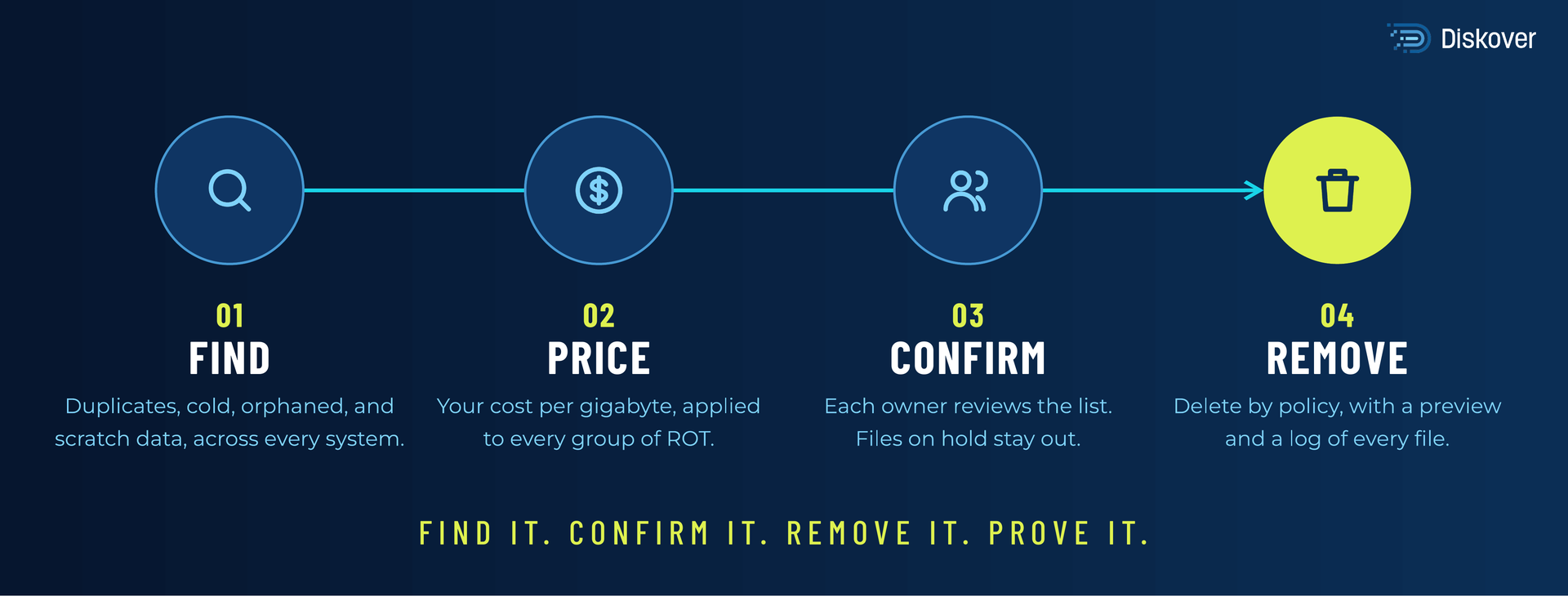
In its Global Databerg Report, Veritas found that 33% of stored data is ROT (2016). Cleaning it up takes three things: finding it across every system, getting the owner to agree, and deleting it in a way you can defend later. Diskover does all three from one catalog.
HOW DISKOVER HELPS
Find it, confirm it, remove it, prove it.
Ask which files you can remove.
Ask which duplicates take the most space, or which projects have not been opened in 3 years, and get the matching files back with a recommended action. Every action waits for a person to approve it.
AI-ASSISTED. HUMAN-APPROVED.
HOW IT WORKS
Find. Review. Remove.
FIND
REVIEW
REMOVE
A semiconductor customer surfaced 1.9 PB of abandoned files, debug output, and core dumps.
100B+
files cataloged in one place
Diskover Media and Entertainment customer
BEFORE YOU DELETE
Five questions to answer before any cleanup.
Deleting is easy. Deleting the right files, with the owner’s agreement and a record, is the hard part. Diskover answers each question from the catalog.
WHERE IT FITS
Built for the storage and industries you already run.
Diskover indexes file and object storage from any vendor, on-premises and in the cloud, for teams in every industry. Explore our key partners and a few of the industries with the largest data estates.
FAQ
Common questions.

Find out how much of your storage is ROT.
We will index a sample of your storage and show you what is recoverable against your current storage spend.