

PRODUCT NEWS
Diskover introduces the Insights dashboard.
See what your storage holds, what it costs, and what to fix first, from the first scan.
Diskover now ships with the Insights dashboard. Insights reads the Diskover catalog after every scan and turns each storage path into business answers: how big it is, how much of it is irreplaceable, how much has gone cold, what it costs each year, and which fixes are worth the most.
The Insights dashboard is a business view of your storage, organized around the way your industry works. Administrators choose an industry profile like Media and Entertainment, Electronic Design Automation (EDA), Life Science, or Oil and Gas, and Insights groups the data by its role in that industry’s work.
Each industry profile sorts the data by what can be rebuilt. For example:
- Media and Entertainment: camera originals and masters apart from proxies and renders.
- EDA: source and design IP, layout, and tapeout data apart from simulation results and scratch.
- Life Science: primary instrument data and pipelines apart from intermediate files and scratch.
- Oil and Gas: field-acquired raw data and interpretations apart from models and scratch.
Each group gets a value tier, from crown jewels that cannot be rebuilt down to files that can be regenerated, and an age mix that shows how much of it is in active use.
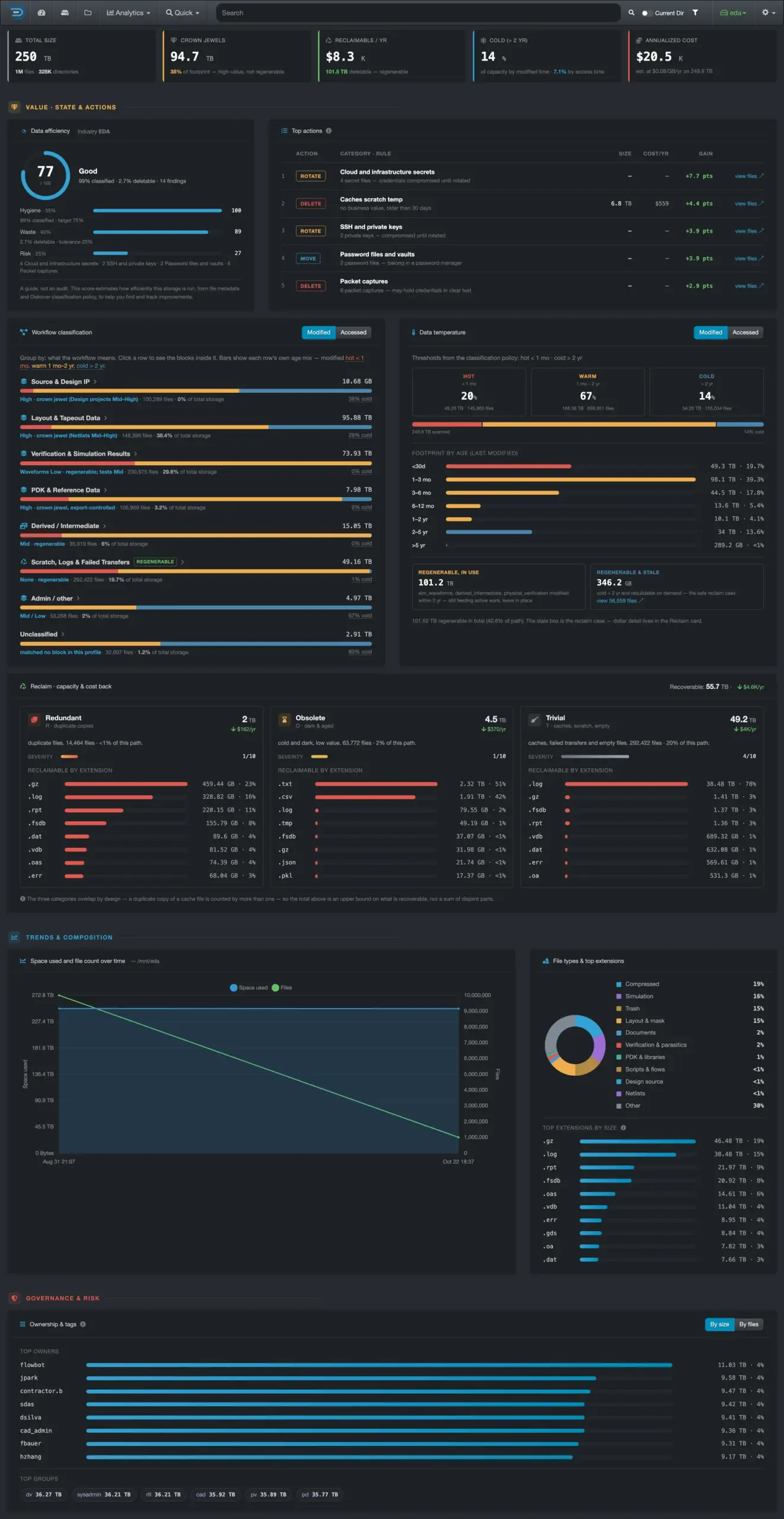
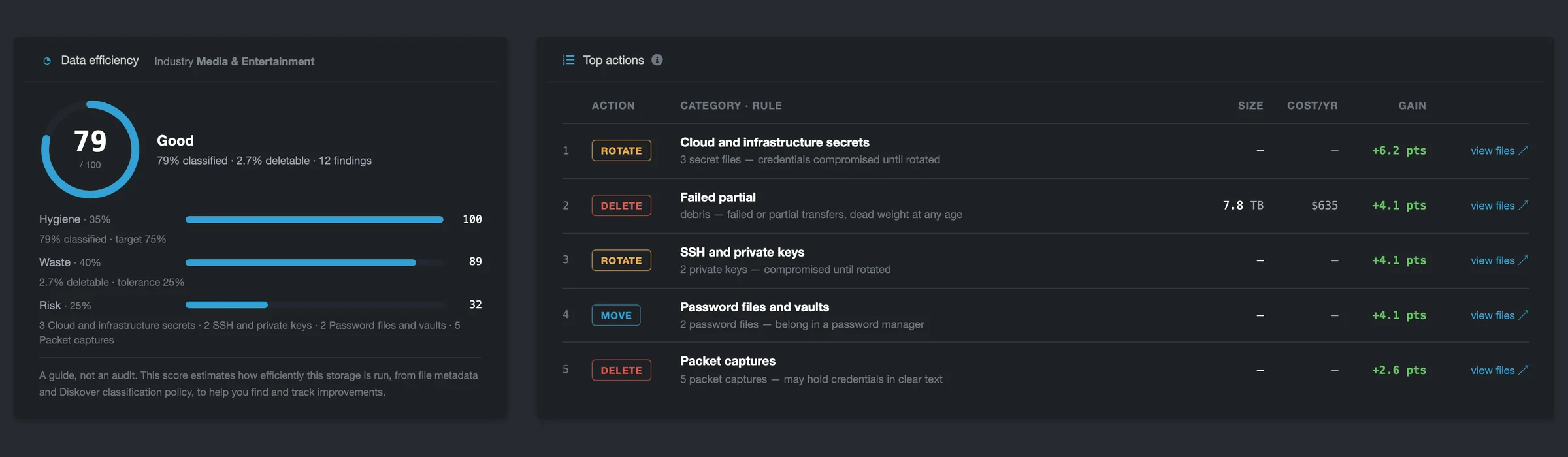
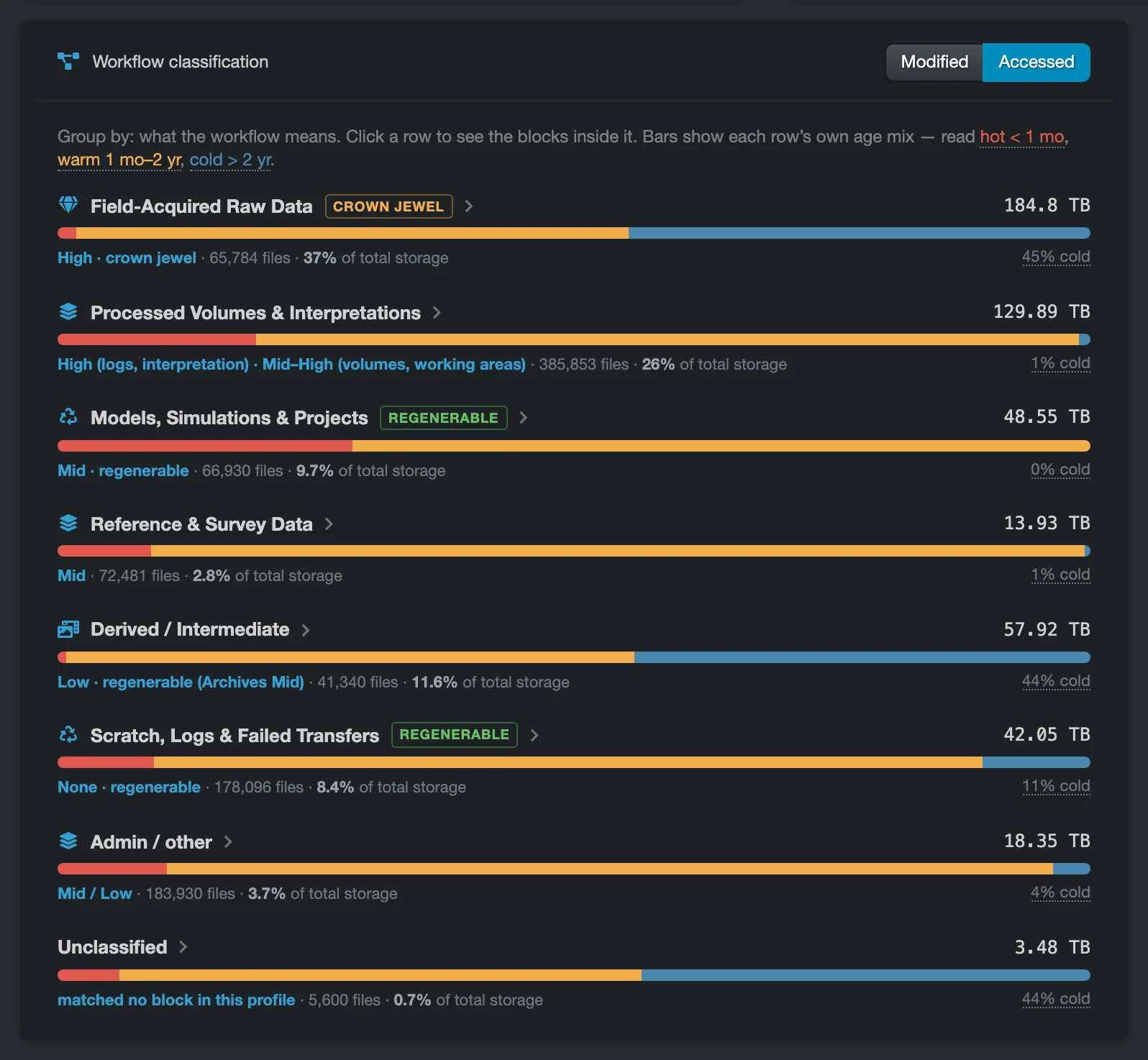
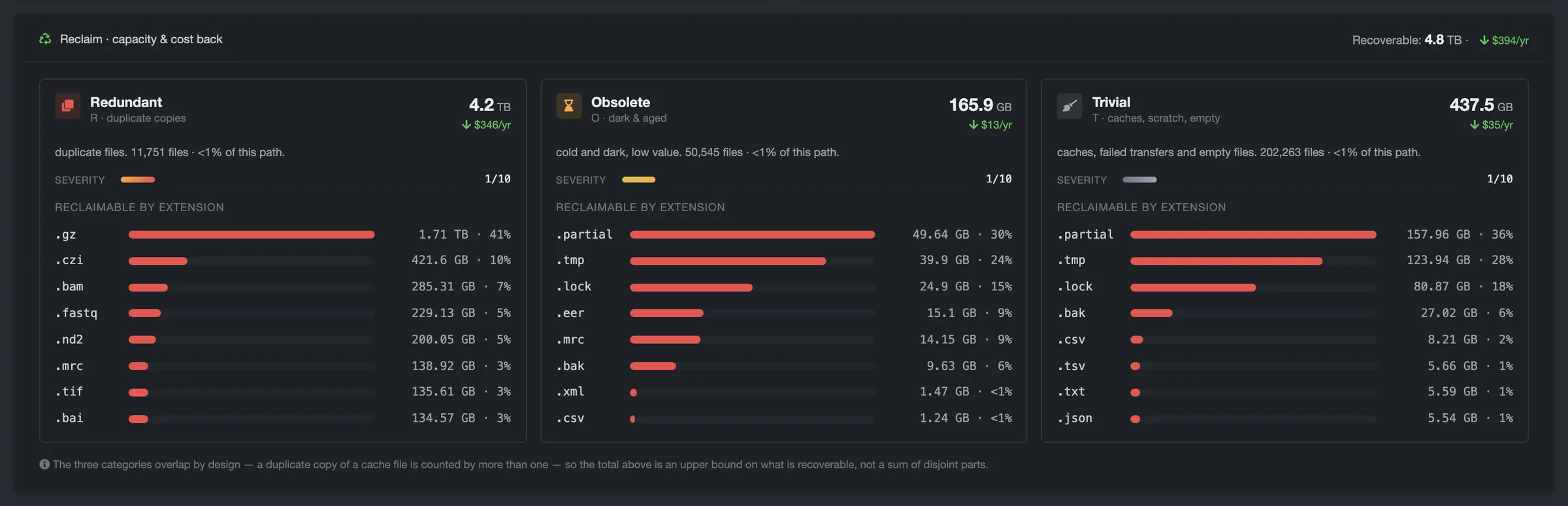
What Insights shows.
- Five numbers on one screen: total size, crown jewels, reclaimable spend per year, cold data, and annual cost.
- A data efficiency score out of 100, built from hygiene, waste, and risk. The dashboard presents it as a guide, not an audit.
- Top actions, a ranked list of fixes, each with its size, its yearly cost, and the points it adds to the score.
- Reclaim, which sorts redundant, obsolete, and trivial (ROT) data, with its size, cost, and top file types.
- Ownership and growth, showing which teams hold the most space and how fast storage grows, scan after scan.
Insights works from metadata such as file name, extension, path, age, and owner. It needs no tags and no plugins to set up, and its statistics refresh after every scan. Each team sets its own storage cost and the ages that define hot, warm, and cold data. When the dashboard points to a fix, Diskover policies carry it out on the schedule the team sets.
Also new.
- A guided first-run setup that takes an administrator from the license to the first scan, with about 15 minutes to a first index.
- Storage-based scanning. Enter each file server once, and Diskover discovers its shares and exports for scanning.
- Sign-in methods side by side: local accounts and Lightweight Directory Access Protocol (LDAP) / Active Directory, with a guided LDAP setup.
- Email notifications from one panel, with a real test message.
“Teams want answers they can act on the day they install. Insights reads the catalog after every scan and turns it into a short list of what to protect, what to move, and what to clear, in the language of each industry.”
Olivier Rivard, Chief Product Officer, Diskover
GET STARTED
Ready to see Diskover on your data?
Book a demo, or start with a 30-day proof of concept.