


STORAGE CONSOLIDATION
Consolidate storage, and bring only the data you still use.
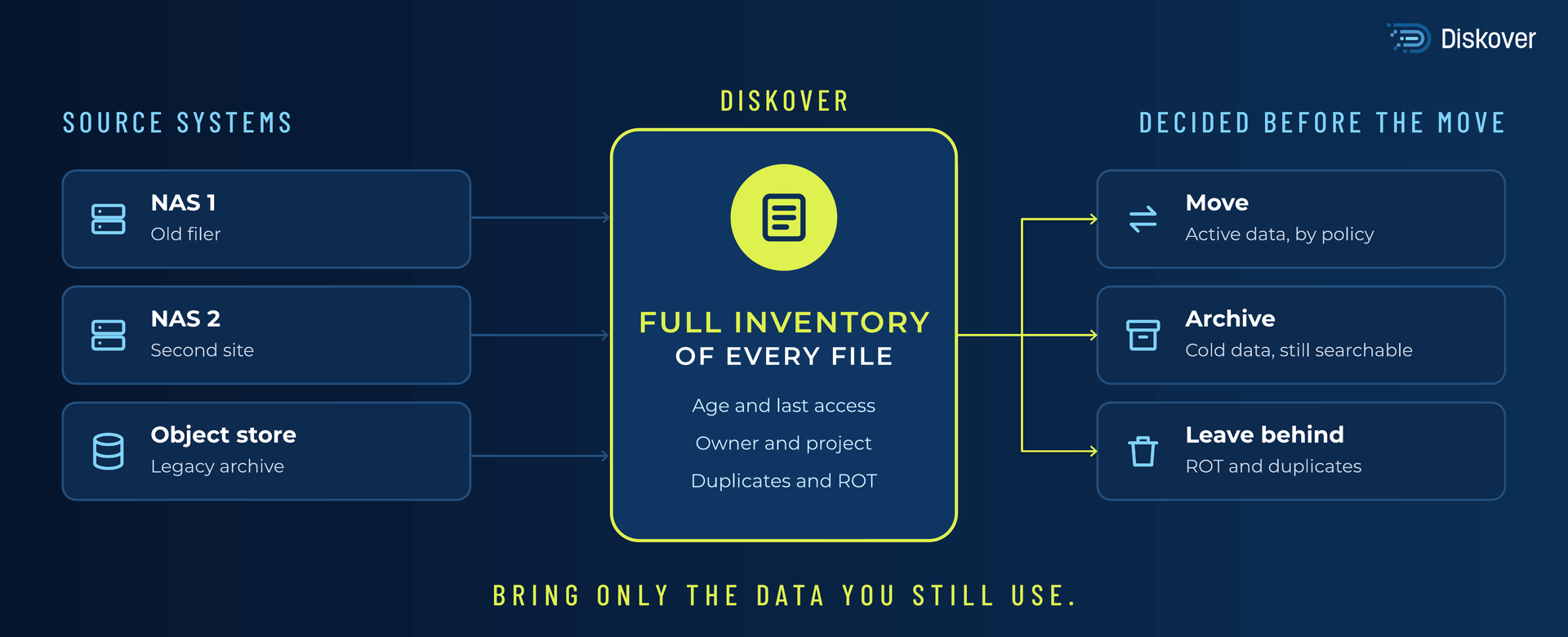
Storage consolidation starts with a full inventory. Diskover indexes every file system and object store you plan to consolidate, so you know what to move, what to archive, and what to retire before the first transfer. Plan the project from facts, then run it by policy.
Do you know what is worth moving?
30–50%
of storage reclaimed by tiering and removing ROT data
30+
hours a week returned to teams from manual data housekeeping
1.4B
files indexed in 2 hours on 3 nodes
I NEED TO
WHAT IT IS AND WHY IT MATTERS
What storage consolidation involves.
Storage consolidation brings data from several network-attached storage (NAS) systems, object stores, or sites onto fewer platforms. A NAS refresh, a data center exit, a cloud move, or a merger starts the project. The inventory decides how it goes.
CTERA scanned 856 file shares and found that 88.3% of files had not been accessed in more than a year (CTERA, 2026). Moving all of it to new hardware means paying again for data your teams no longer open. Hardware is also harder to buy: TrendForce reports that enterprise SSD contract prices rose about 80% in the first quarter of 2026. Every terabyte you leave behind is capacity you do not have to buy.
HOW DISKOVER HELPS
Four decisions, made from one catalog.
Ask your storage a question.
Ask how much of a share has not been touched in 3 years, or what archiving it would save, and get the matching files back with a recommended action. Every action waits for a person to approve it.
AI-ASSISTED. HUMAN-APPROVED.
HOW IT WORKS
Index. Decide. Move.
INDEX THEN PLAN
DECIDE WITH REPORTS
MOVE BY POLICY
A $5B sportswear brand cut storage volume by 32% and file count by 41% with a disposition program run on Diskover.
100B+
files cataloged in one place
Diskover Media and Entertainment customer
PLANNING THE PROJECT
Five questions to answer before you consolidate.
Use these questions to scope the project. Diskover answers each one from the catalog.
WHERE IT FITS
Built for the storage and industries you already run.
Diskover indexes file and object storage from any vendor, on-premises and in the cloud, for teams in every industry. Explore our key partners and a few of the industries with the largest data estates.
FAQ
Common questions.

Plan your next consolidation from facts.
We will index a sample of your storage and show you what is recoverable against your current storage spend.