

DATA MOBILITY
Move the right files to the right tier, on demand or by policy.
Data mobility for unstructured data starts from the metadata catalog. Find the files that qualify by any metadata, such as age, owner, or project, then tier, archive, copy, or move them to the storage that fits their value. The files stay searchable after they move, so nothing gets lost along the way.
WHY IT MATTERS
Cold data on fast storage costs you twice.
CTERA scanned 856 file shares and found that 88.3% of files had not been accessed in more than a year. Those files still sit on the most expensive storage you own, and every backup pays for them again.
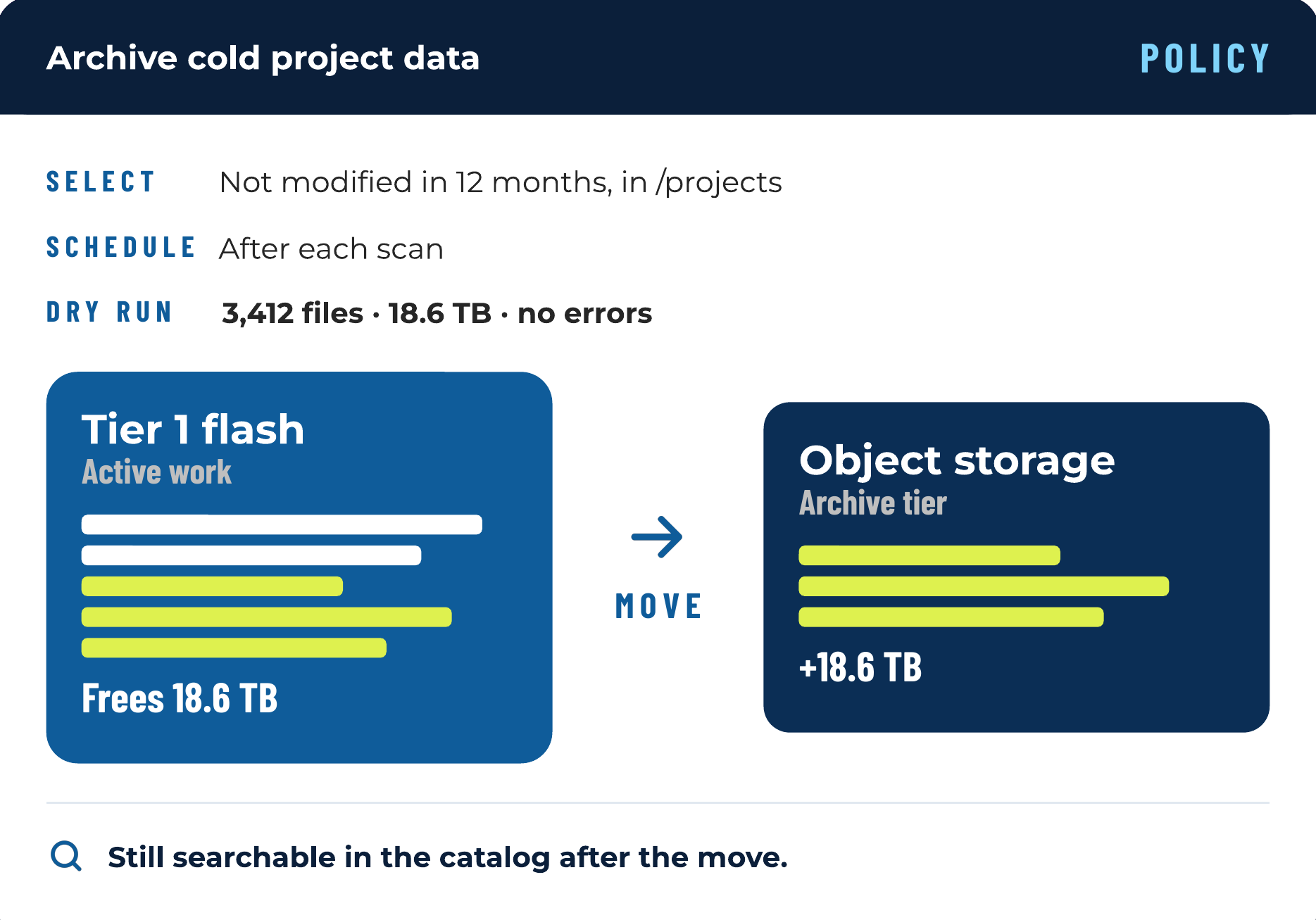
Data mobility puts each file on the tier that matches its value. Active work stays on fast storage, finished projects move to object storage or archive, and the catalog keeps track of every file. It’s one of the fastest ways to cut storage spend, because you pay premium prices only for the data that earns them.
Pay less for every terabyte.
Shrink your backups.
Delay your next storage purchase.
8 PB
reclaimed by a global media and entertainment company across 6 data centers
Diskover Customer
30–50%
of storage reclaimed by tiering and removing ROT; top performers cut footprint by 50%
80%
rise in enterprise solid-state contract prices in the first quarter of 2026
Source: TrendForce, 2026
HOW IT WORKS
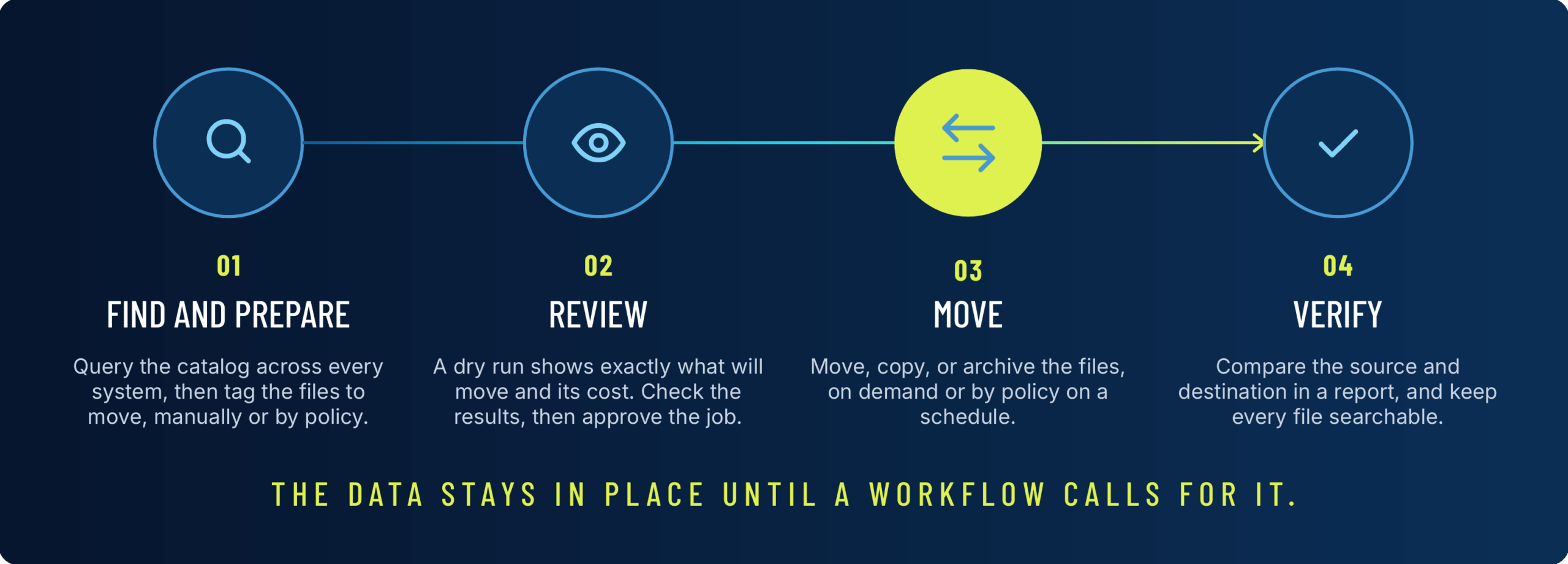
How a move works.
HOW DATA MOVES
Three ways to move data.
GOVERNANCE
Move sensitive data on purpose.
A file that was compliant where it sat can land under different permissions or retention rules after a move. Before anything moves, the catalog shows each file’s metadata, such as owner, permissions, and tags, so restricted files stay out of a bulk move and legal holds stay where they are. Between file systems, Rclone transfers keep each file’s owner, permissions, and timestamps.
$11.5M
average cost of a data breach in the US
~36%
of stored data is considered dark or unclassified
AFTER THE MOVE
Files stay findable after they move.
Every tier in one catalog.
Archives stay searchable.
Every move can be checked.
FAQ
Questions about data mobility.
See it on your own data.
We’ll index a sample of your environment and show you
what’s recoverable against your current storage spend.