

CURATION AND ORCHESTRATION
Curate the files that matter. Automate what happens next.
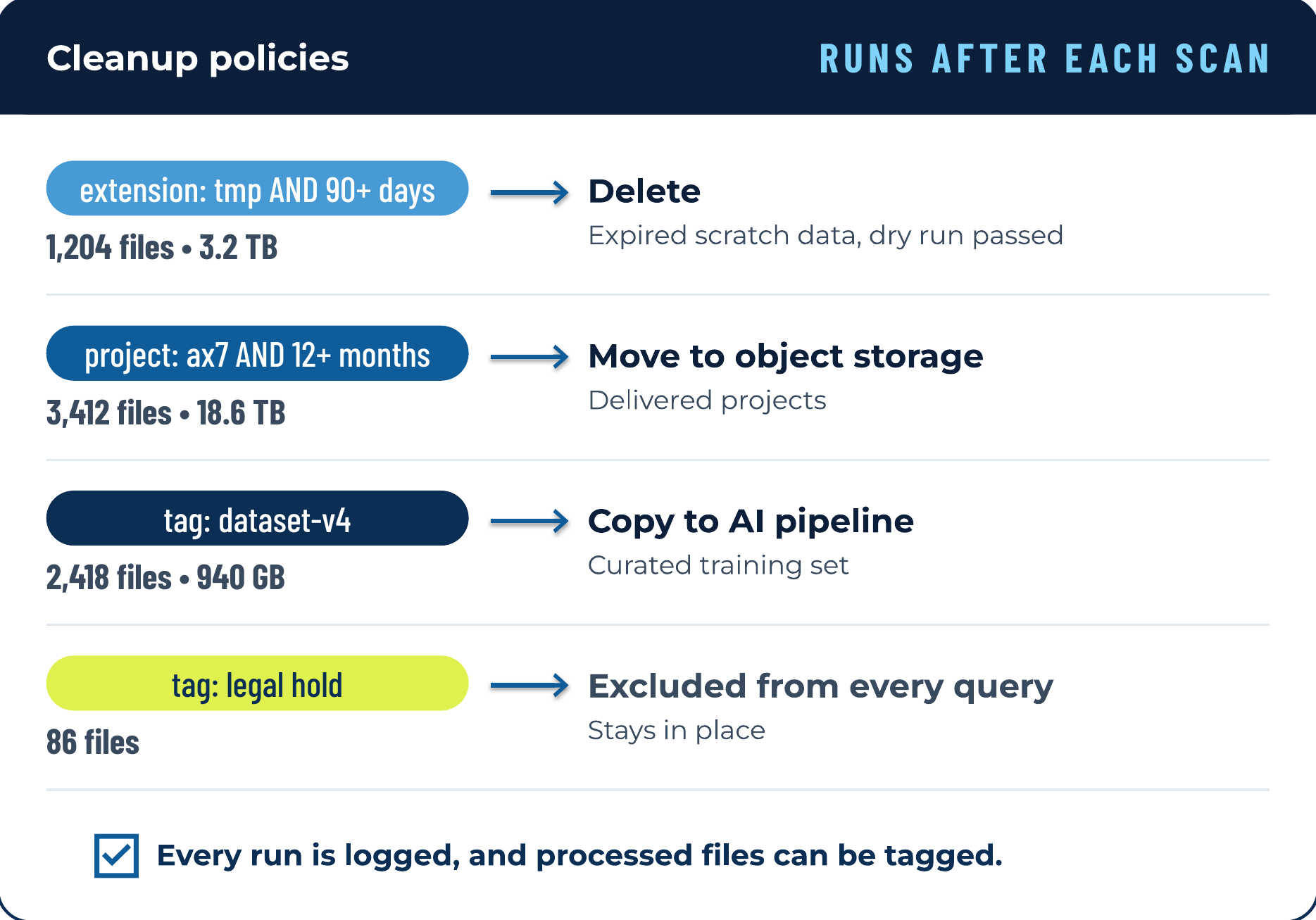
Curation selects the right files from the catalog with queries, filters, and tags. Orchestration acts on them: policies copy, move, rename, change permissions, or delete files on a schedule or after each scan, and destructive actions can wait for an approval tag.
BENEFITS
Why it matters.
Policies turn your decisions about files into work that runs on its own. You cut storage costs, keep governance rules applied after every scan, and give AI projects a clean, known set of files.
Less manual work.
Lower storage spend.
Traceable runs.
Clean inputs for AI.
HOW IT WORKS
From scattered files to decisions that run themselves.
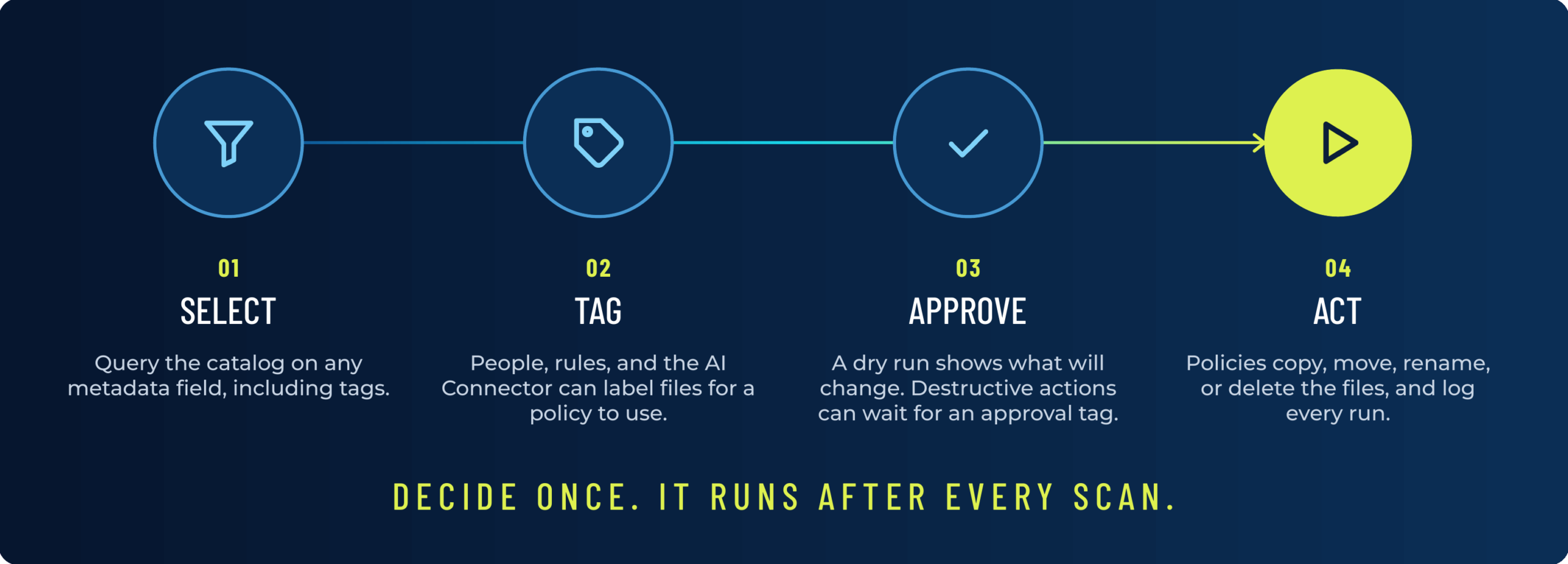
Every cleanup, archive, and dataset starts with the same question: which files? Diskover answers it from the catalog with a query, can record the answer as a tag, and lets a policy act on it. A decision made once keeps running, scan after scan.
CURATION
Curation: choose the right files.
AUTOMATION
Orchestration: let policies do the work.
SAFEGUARDS
Built-in safeguards.
Approval tags.
Dry run first.
Edited files wait.
Every run logged.
USE CASES
Curation and orchestration in action.

SEMICONDUCTOR
Nearly 2 PB of abandoned data, cleared.
A semiconductor company found nearly 2 PB of abandoned and temporary data, including debug and core dump output that workflows never cleared, then automated the cleanup.

MEDIA AND ENTERTAINMENT
300 million files, retention on autopilot.
A global media company indexed more than 300 million files across 4 storage platforms, and AutoTag rules now drive the retention policies that keep its storage lean.

LIFE SCIENCE
500 TB reclaimed from core storage.
A life science research organization indexed 5 PB, cleared temporary and test data out of core storage, reclaimed more than 500 TB, and avoided $250K in storage overspend.
Putting it all to work.
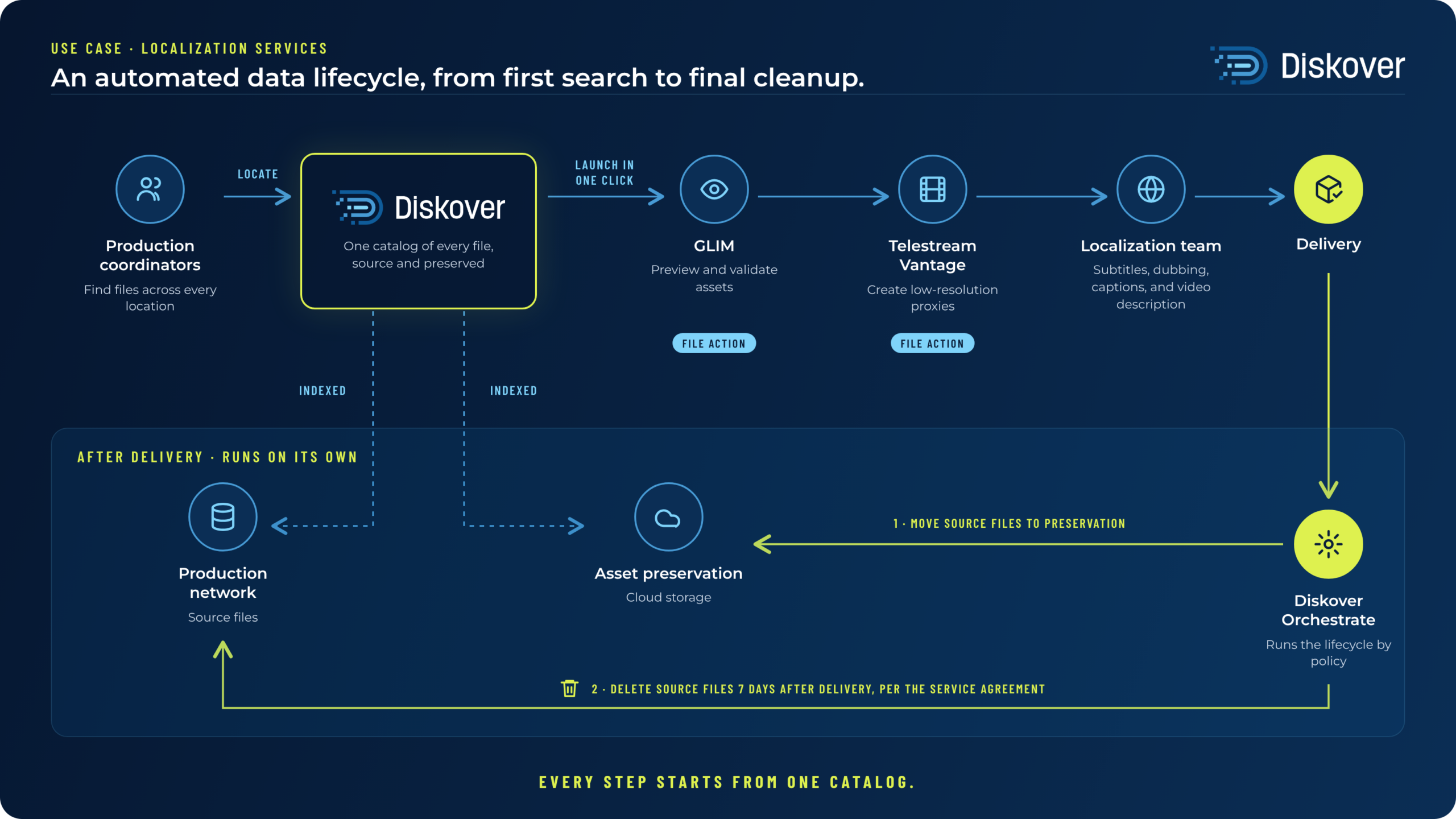
A localization services company uses Diskover from first search to final cleanup. Coordinators find source files in one catalog, then send them to GLIM for review and Vantage for proxies in one click. After delivery, policies move source files to cloud preservation and delete the working copies after seven days, as the service agreement requires.
FAQ
Questions about curation and orchestration.
See it on your own data.
We’ll index a sample of your environment and show you
what’s recoverable against your current storage spend.