

AI CONNECTOR
Ask in plain language. Approve the next step.
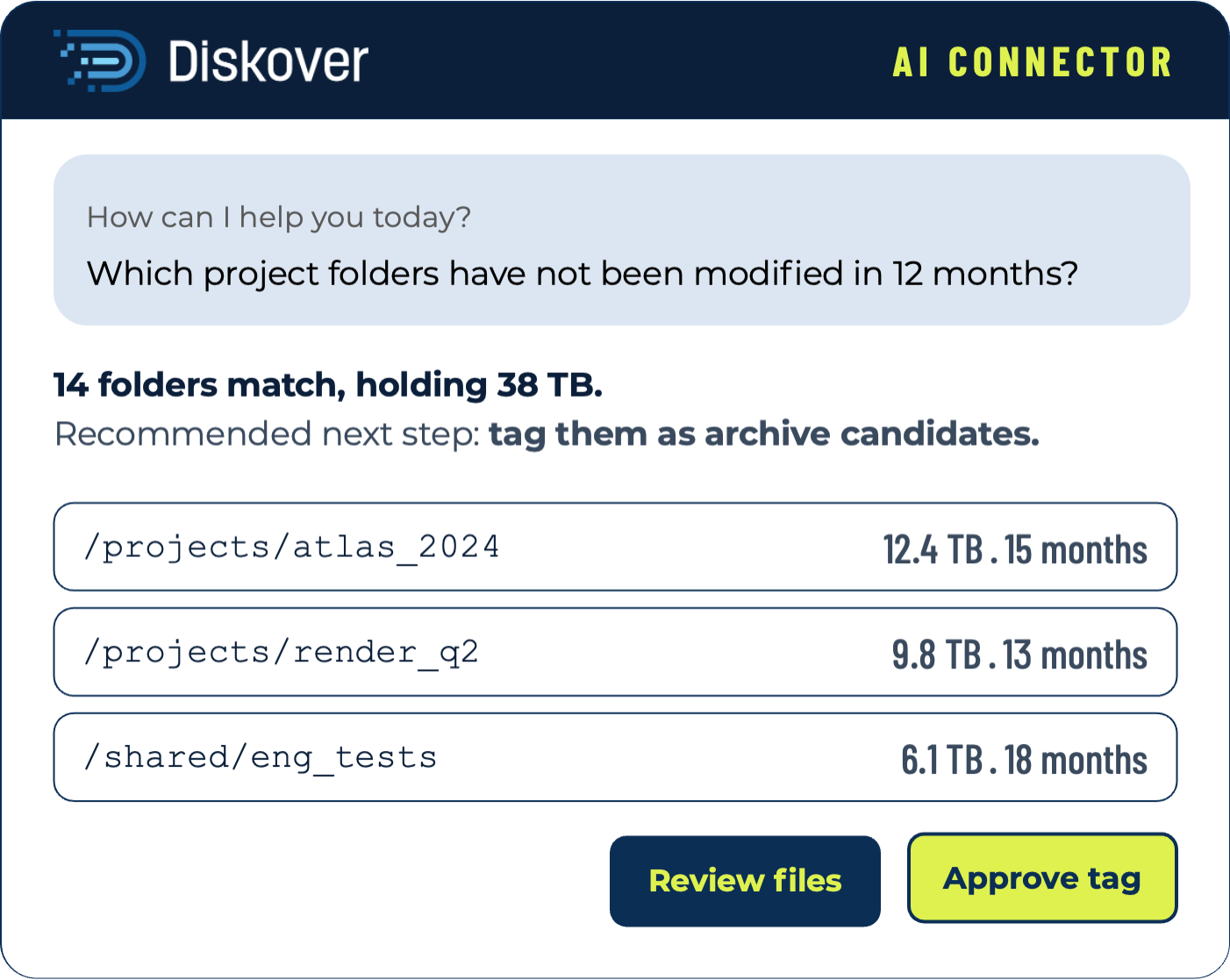
The AI Connector links the AI tool or agent platform you already use to the Diskover metadata catalog. Ask where storage is overspent or which folders have gone cold, get the matching files with a recommended next step, and approve it before Diskover tags the files.
HOW IT WORKS
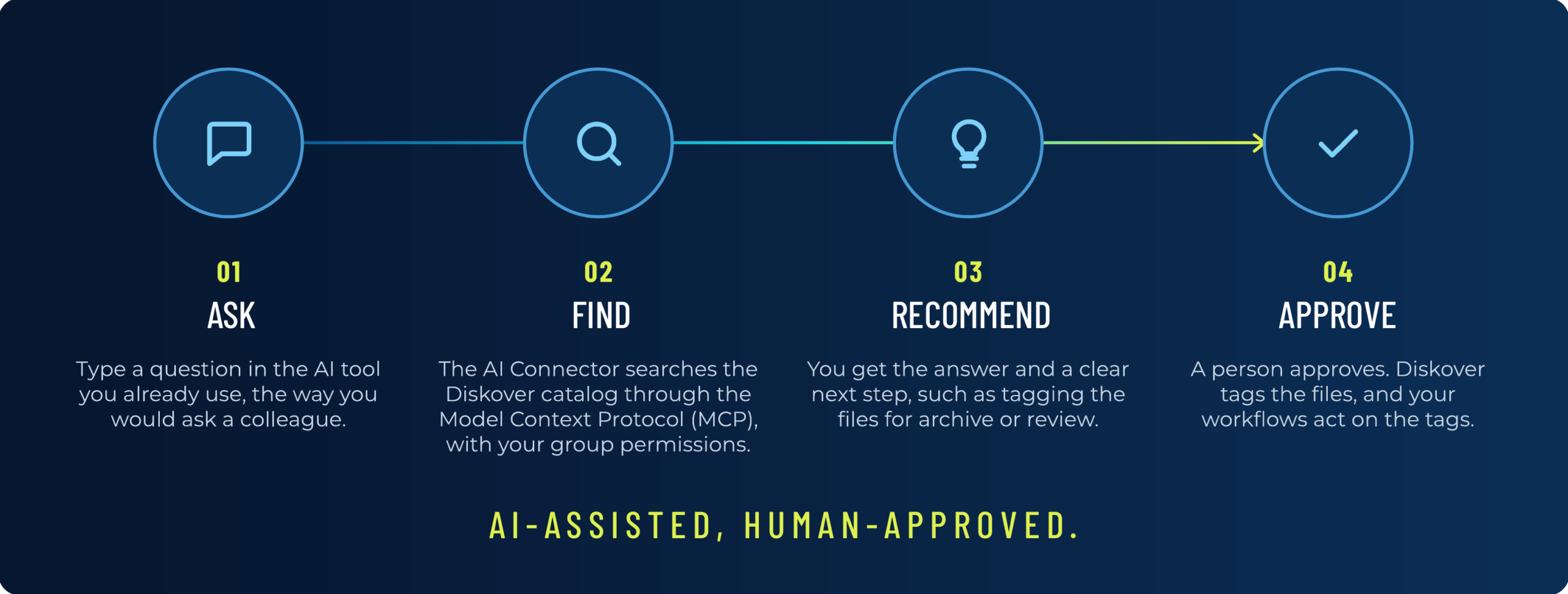
How the AI Connector works.
The AI Connector reads the catalog, which describes every file across your storage. File contents stay in your storage and out of the conversation.
THE DIFFERENCE
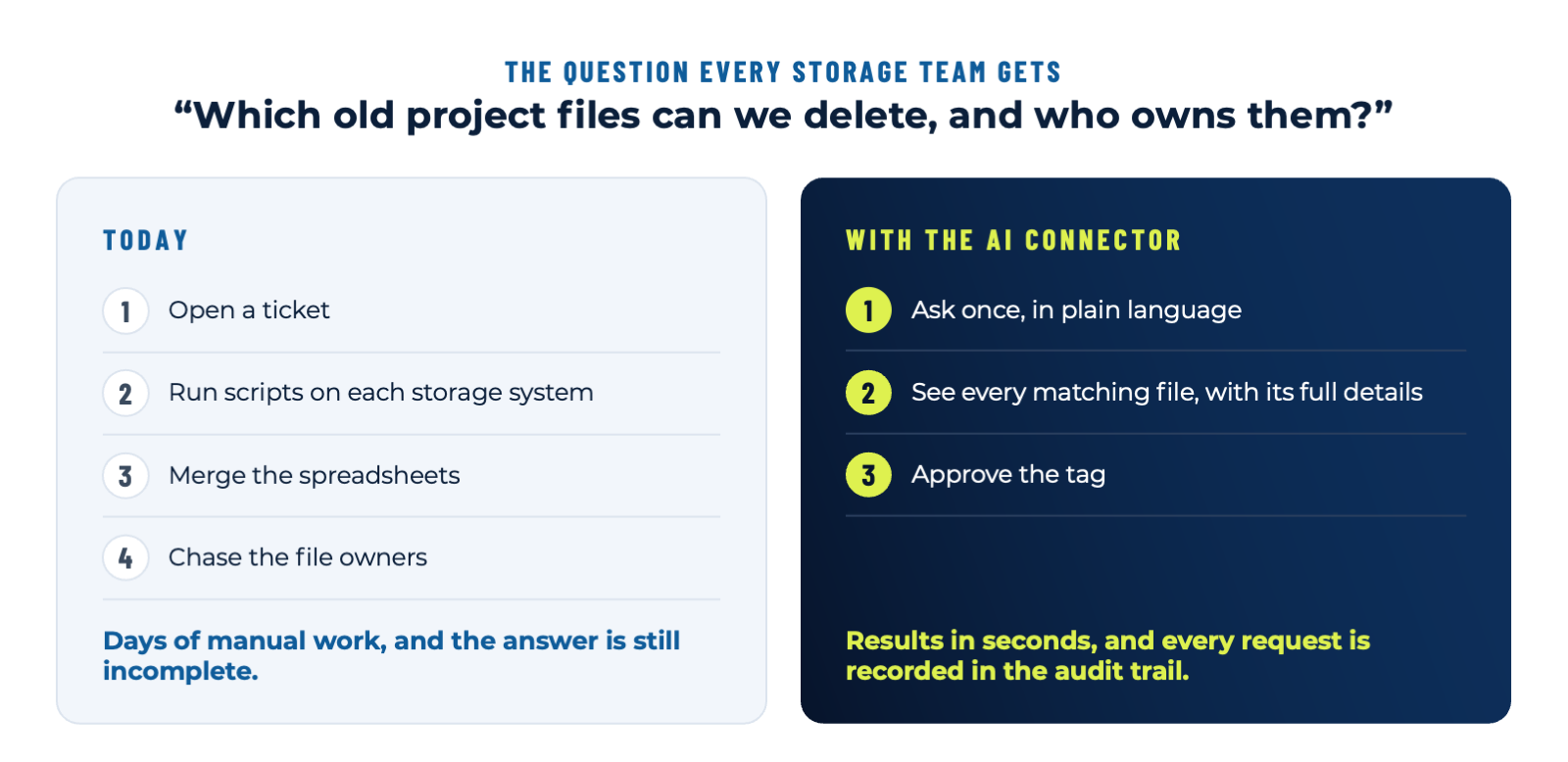
Same question. Two very different days.
The question every storage team gets: “Which old project files can we delete, and who owns them?”
ASK IN PLAIN LANGUAGE
What you can ask.
Questions run against one catalog of every file, across every storage vendor, tier, and location.
BENEFITS
Why it matters.
Answers for everyone.
One view of every file.
Tags first, then approve.
Access and audit included.
AI AGENTS
Built for AI tools and agents.
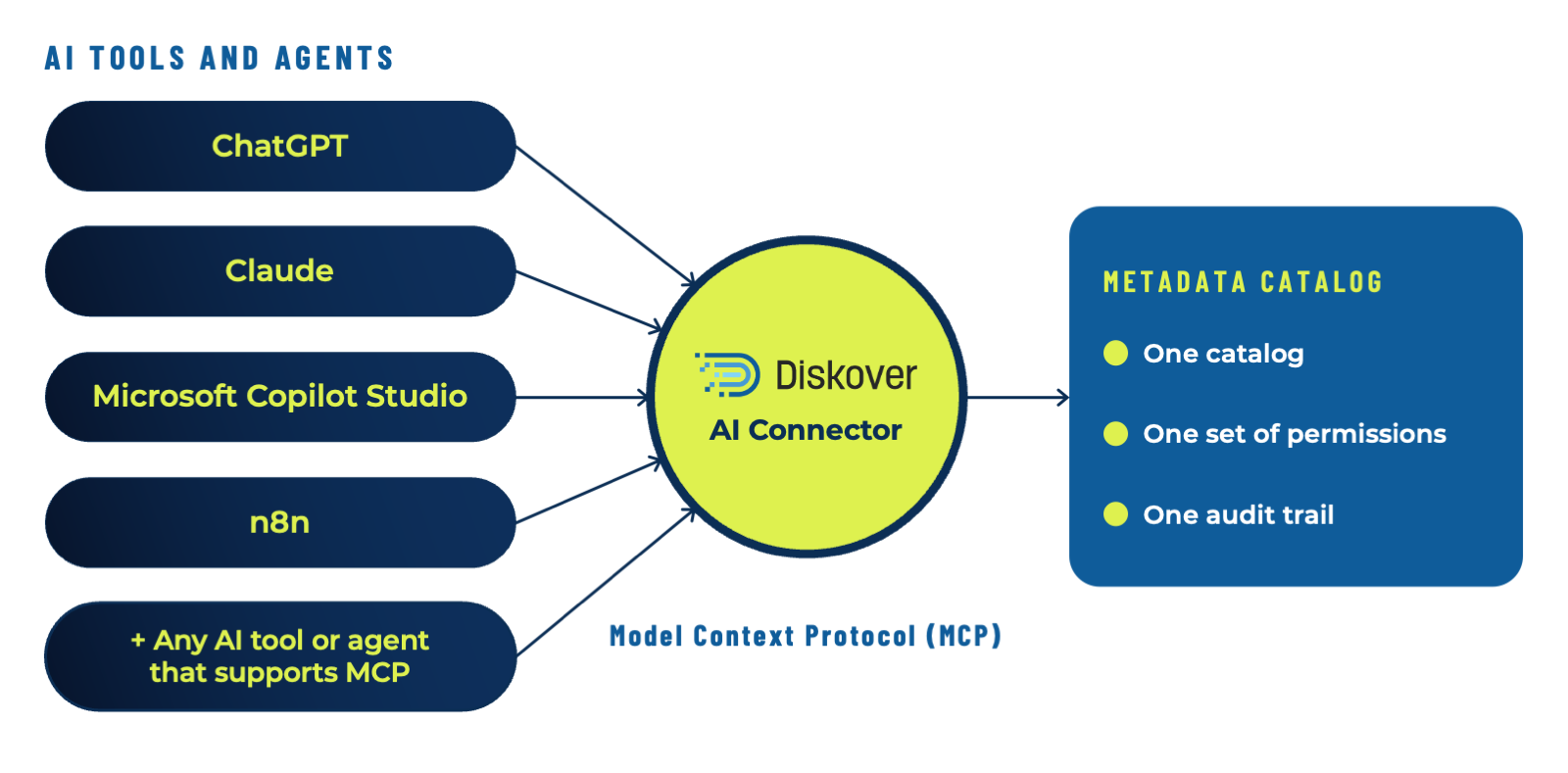
The AI Connector is the Diskover MCP Server. It uses the open Model Context Protocol (MCP) standard, so it works with AI tools such as ChatGPT, Claude, and Microsoft Copilot Studio, and with agent and workflow platforms such as n8n, on desktop or mobile. Every AI tool and agent reads the same catalog, with the same group permissions and the same audit trail. Read why agent-ready data is a different standard from AI-ready data, or see how the team built the connector.
FAQ
Questions about the AI Connector.
See it on your own data.
We’ll index a sample of your environment and show you what’s recoverable against your current storage spend.