


DISKOVER + DELL TECHNOLOGIES
Get the full value from every Dell investment.
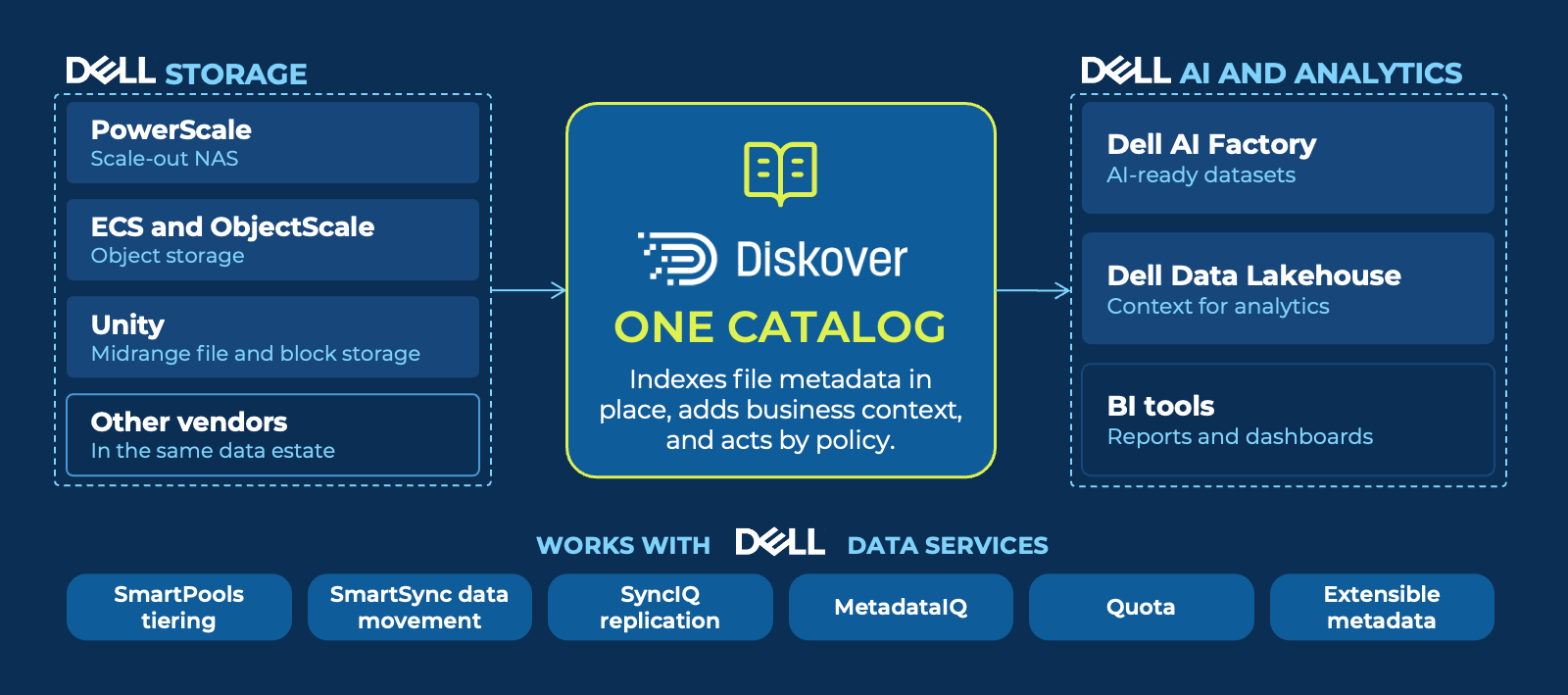
Dell unstructured data management, from storage to AI: Diskover indexes the metadata of every file on PowerScale, ECS, ObjectScale, and Unity in place, adds business context, and acts by policy. Then it delivers curated datasets to the Dell AI Factory and your analytics tools.
STRATEGIC PARTNERS

WHY DISKOVER WITH DELL
Dell stores it. Diskover puts you in control.
Dell provides the scale-out file system, the object storage, and the AI platform. Diskover adds one view of every file across them, with the business context to decide what each file is worth. You can’t optimize what you can’t see. Diskover delivers the clarity, automation, and control to make every storage decision count.
WORKS WITH PowerScale · ObjectScale/ECS · Unity • Data Lakehouse · AI Factory
See every file.
Put data on the right tier.
Feed AI the right files.
30–50%
of storage reclaimed by tiering cold data and removing ROT data
Diskover customers
EVERY INTEGRATION
All the integrations, at a glance.
Diskover adds visibility, context, and action to the Dell storage and AI stack.
SEE AND UNDERSTAND
PowerScale indexer
SmartPools analytics
PowerScale data catalog
Quota
MetadataIQ
Unity
MOVE AND PROTECT
SmartSync
SyncIQ snapshots
ECS and ObjectScale
AI AND ANALYTICS
Dell Data Lakehouse
Dell AI Factory
POWERSCALE
Turn PowerScale into a business data catalog.
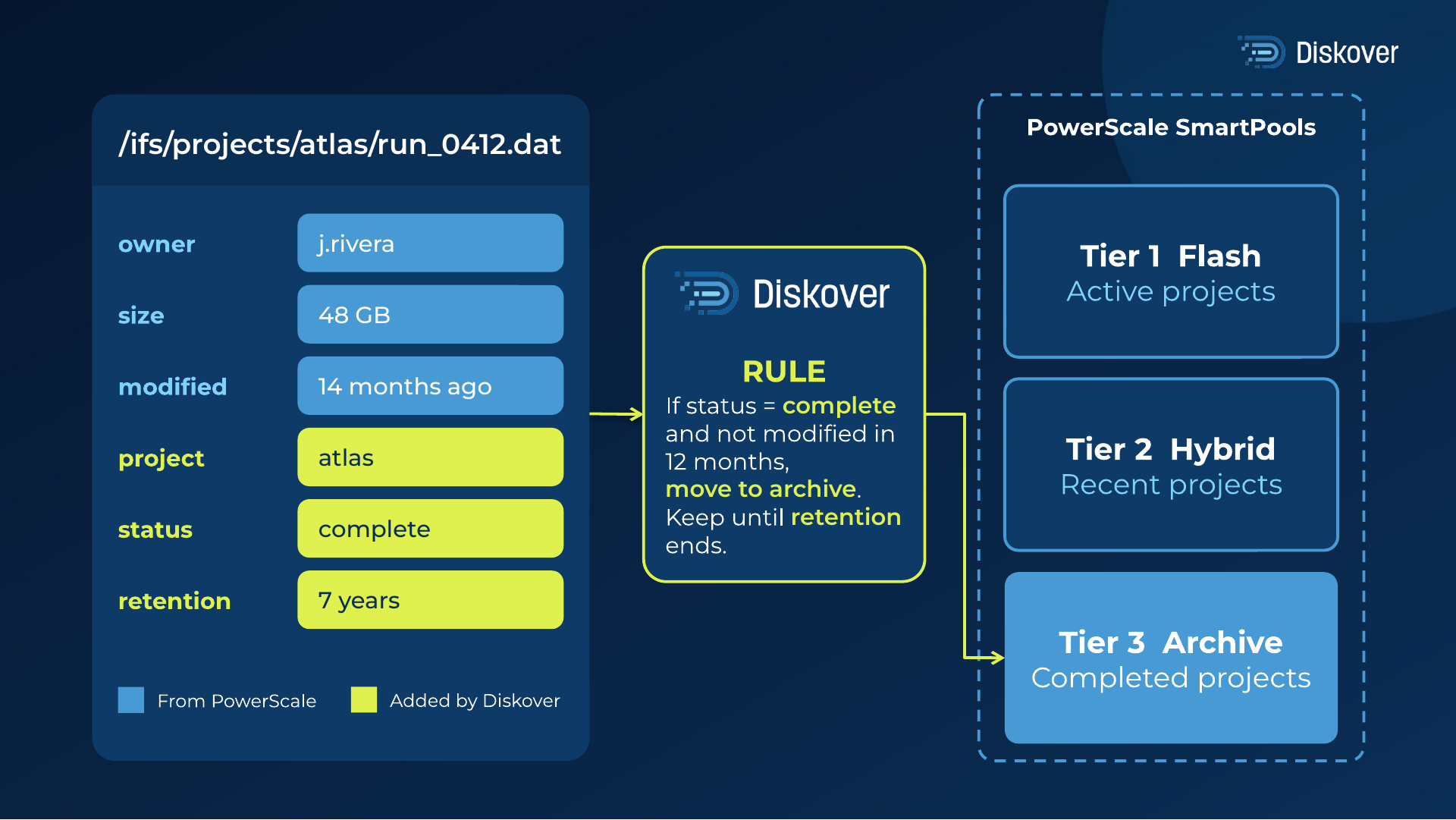
PowerScale can hold custom key-value metadata on every file. Diskover fills those keys with business meaning, such as project, status, client, and retention, and joins them with base metadata in one searchable record. Dell explains why this matters in its blog Why your files should be as smart as objects.
With that business context, Diskover rules can decide what to tier from more than file age. For example, a rule can move every completed project that has not changed in 12 months to the archive tier, and keep it there until its retention period ends. PowerScale SmartPools moves the files. Diskover decides which files move.
SMARTPOOLS AND QUOTA
Set SmartPools policies from real data.
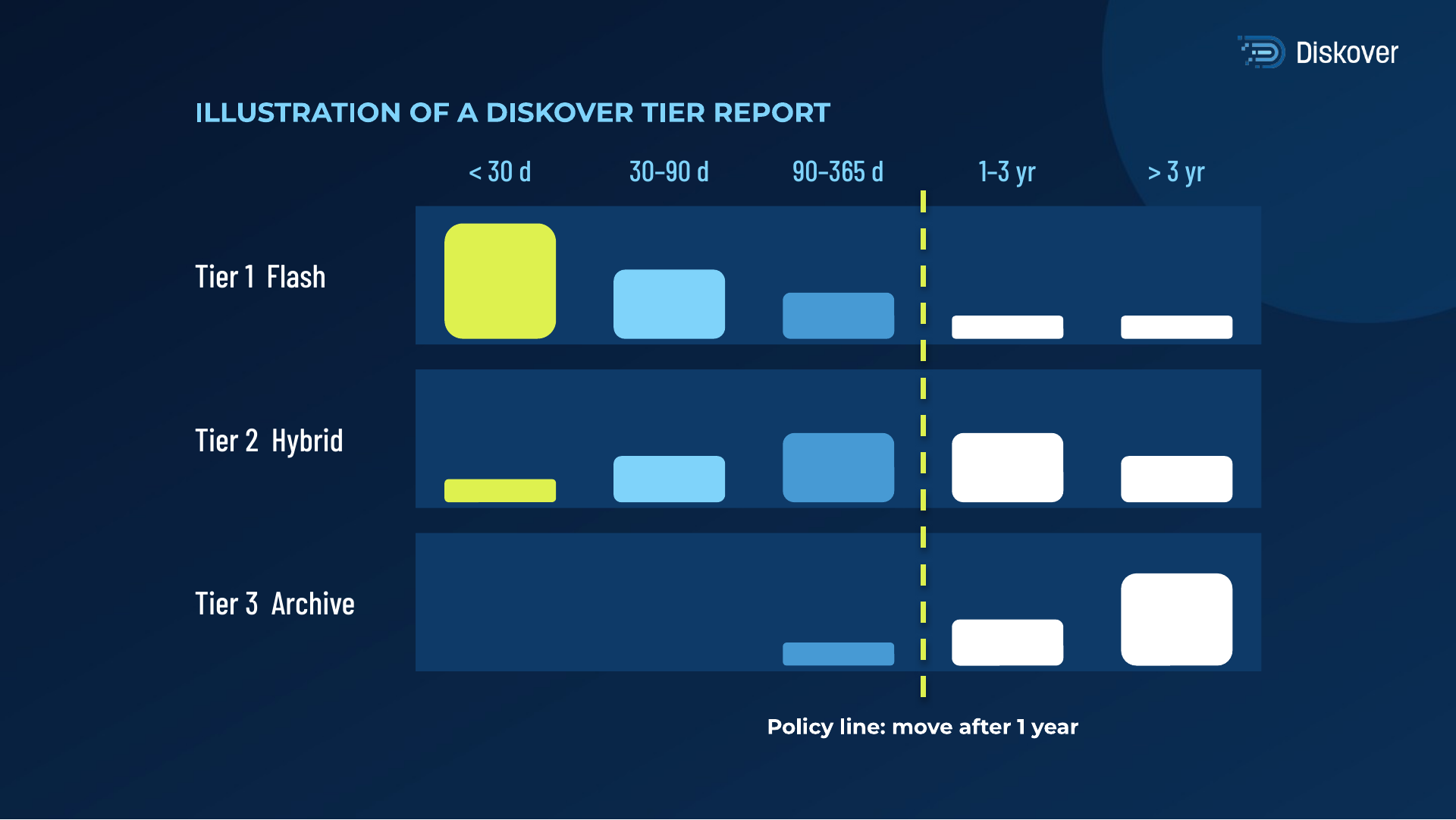
Diskover shows what sits on each SmartPools tier and how old it is, so age-based policies start accurate and adjust fast. Quota metadata sits next to the file metadata, so you see what fills every quota and what to clean up first.
- Data per node pool and tier, with file age ranges.
- Chargeback and showback by tier, team, or project.
- Refresh and expansion plans sized from real data, after the cleanup, not before.
SMARTSYNC
Move the right data with Dell SmartSync.
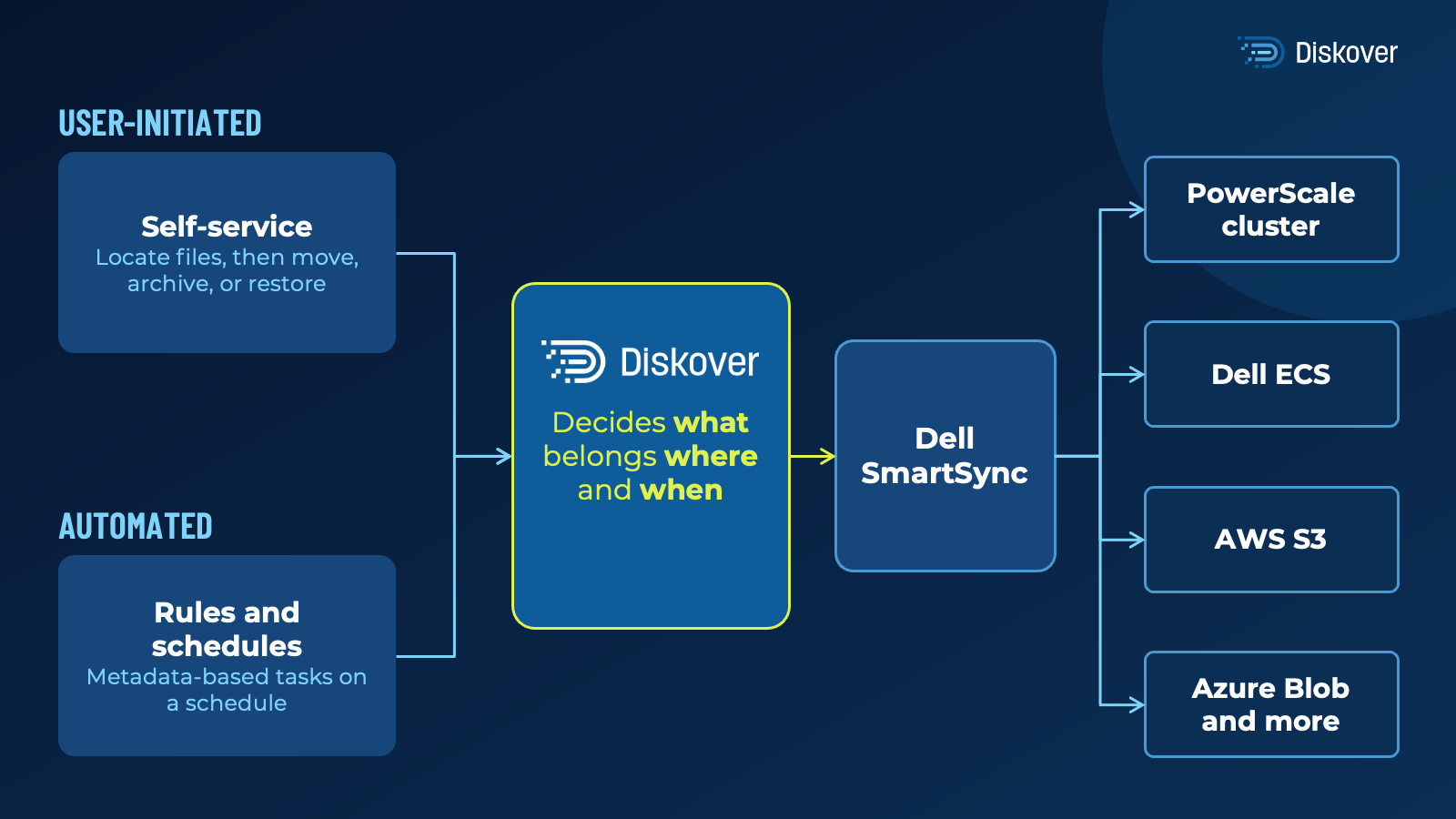
Dell SmartSync moves data between PowerScale and object storage. Diskover decides what moves, with policies based on any metadata in the catalog, such as file age, project status, or storage cost. Policies run on a schedule or on demand. Users can also archive, move, or restore their own files from the Diskover interface, and the files stay searchable after they move.
DELL DATA LAKEHOUSE AND DELL AI FACTORY
Better data in. Better AI and analytics out.
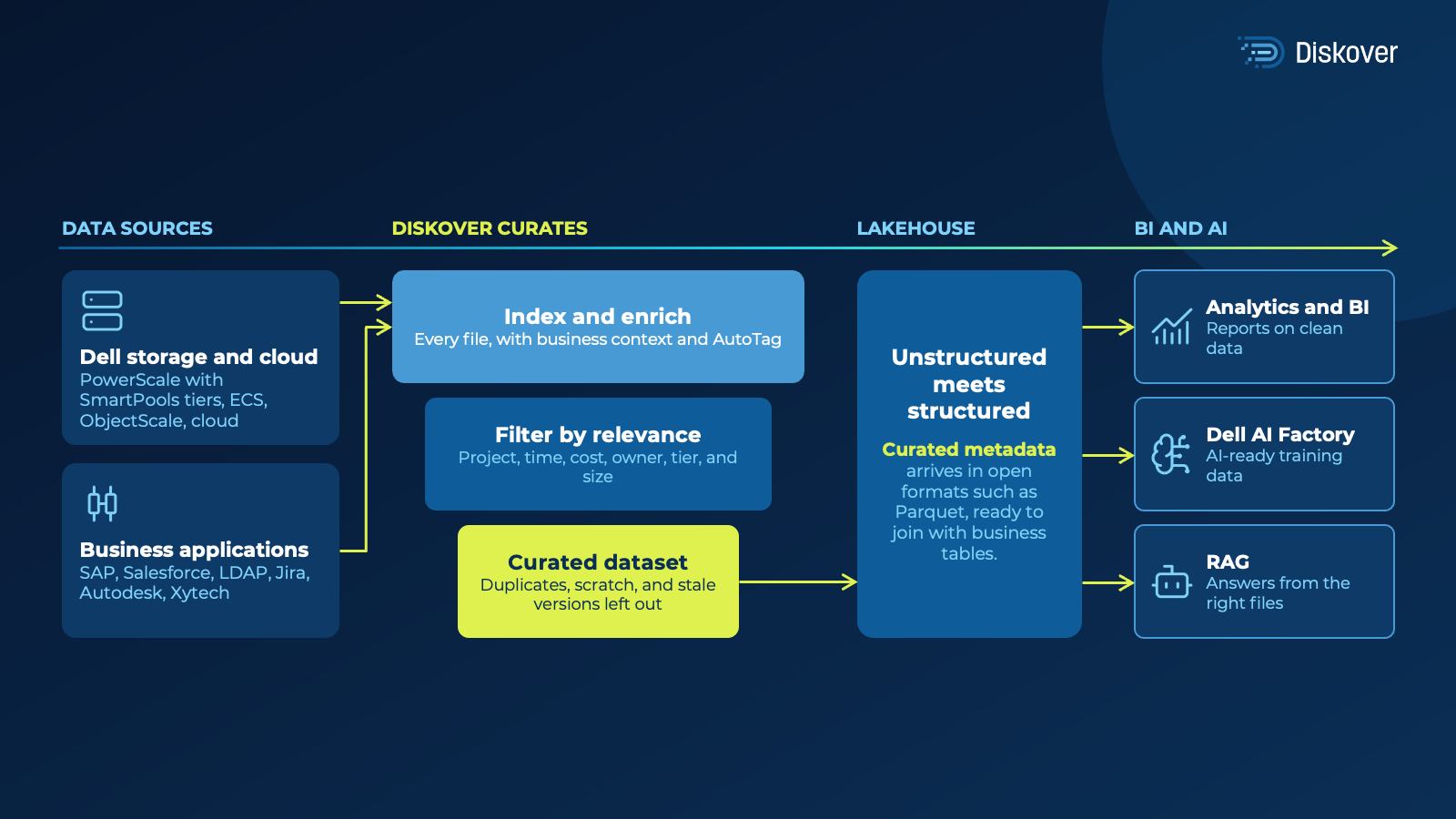
Gartner predicts that through 2026, organizations will abandon 60% of AI projects that are not supported by AI-ready data (Gartner, 2025). Diskover finds every file across Dell storage and cloud, adds rich metadata such as owner, project, and tags, and leaves out what a project does not need, such as duplicates or stale versions. Only the files that matter reach the Dell Data Lakehouse and the Dell AI Factory, with the context analytics and AI need.
Less to vectorize means fewer GPU hours. Read the Dell and Diskover reference architecture and white paper is published on Dell InfoHub.
SYNCIQ
Search every snapshot. Restore in a few steps.
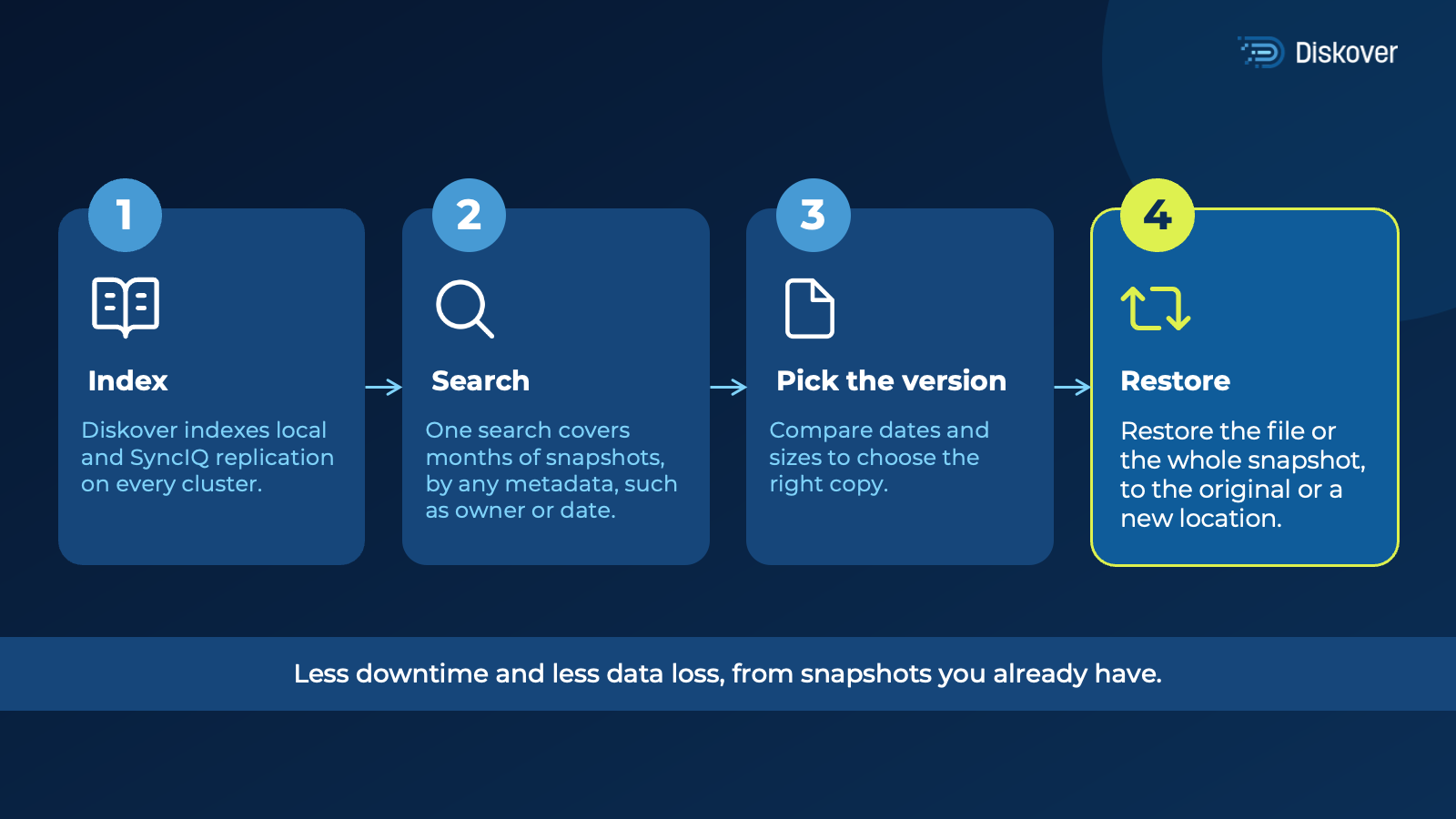
Diskover indexes local and SyncIQ snapshots on every cluster. One search covers months of snapshots, by any metadata in the catalog, such as name, path, owner, date, or project tag. Users pick the right version and restore a single file or a whole snapshot, to the original or a new location, without opening a ticket.
RESOURCES
Read more.
FAQ
Common questions.
See it on your own data.
We’ll index a sample of your environment and show you
what’s recoverable against your current storage spend.