

Category
- Cold data
- Dark data
- Data silos
- File metadata
- ROT data
- Semi-structured data
- Structured data
- Unstructured data
All categories
GlossaryUnstructured Data BasicsFile metadata
File metadata
File metadata is the description a storage system keeps about a file rather than the file’s content. It includes attributes such as the path, name, size, owner, and dates, plus identifiers the file system uses internally, such as the inode number that tracks a file across renames. This is the raw material every catalog, tiering rule, and retention decision is built on.
Key takeaways
- Every catalog, tiering rule, and retention decision is built from file metadata.
- The extension and the file header both identify the file type.
- Header metadata, read by format-aware tools, adds detail the file system does not record.
Why does file metadata matter?
Because it is often the only description a file has. Name, size, owner, dates, and type are enough to search billions of files, report on cost, apply retention, and select data for AI, all without opening a single file. Without it, every decision about unstructured data would mean reading the files themselves, which does not work at scale.
What is the difference between file metadata and a storage audit log?
File metadata records the owner of a file and the dates it was created, modified, and last accessed, so a catalog can show whose file it is and when activity happened. A storage audit log records which person performed each action, which the catalog does not hold. The two answer different halves of the same question, so they are read together when you need to know both what changed and who changed it.
Which part of a file’s metadata shows its file type?
Two parts:
- The file extension, such as .pdf or .mov, is the quick signal, and the file system records it with the name.
- The file header, the first bytes inside the file, holds a signature that identifies the actual format, even when the extension is wrong or missing.
Reading the header is a structural check: it identifies the format without reading what the file says.
What is header metadata?
Header metadata is descriptive information stored at the start of a file, inside the file itself. Depending on the format, it can hold details such as the resolution and codec of a video, the instrument and settings of a scientific image, or the author and creation date of a document. It is richer than what the file system records, and format-aware tools can read it at index time.
Does a file need to be opened to read its header metadata?
Yes, in part. System metadata such as name, size, owner, and dates comes from the file system, so it can be indexed without opening the file. Header metadata is stored inside the file, so a format-aware tool has to open it and read the header section at the start. It reads only that small part, not the full content, which keeps the process fast enough to run on large estates.
What is business context metadata, and where does it come from?
Business context metadata says what a file means to the organization, such as the project, client, department, study, or retention class it belongs to. The file system does not record any of it, so it is added from other sources:
- Folder paths and naming conventions, such as a project code in the folder name.
- The company directory, which links each owner to a department or cost center.
- Business systems such as project tracking, asset management, or a lab system.
- People, who add tags when they review or approve data.
What is a native file format, and why does it matter?
A native file format is the format an application saves in by default, such as a camera’s raw format or a design tool’s project file. Native files often keep more detail than exported copies, and they often need the original application, or a format-aware tool, to be read. That matters for retention and for AI projects: a native file may be the only complete version of the work, so it needs to be recognized and described rather than treated as an unknown file.
How do you view file metadata?
For one file, through the operating system: the Properties or Get Info window on a desktop, or a command such as ls -l or stat on Linux. Object storage shows it in the console or through its API. These views work one file or one system at a time. To see metadata across millions of files and many systems, it has to be collected into a single index that can be searched and reported on.
What is a sidecar file?
A sidecar file is a small file saved next to a main file, holding information about it. Cameras, photo and video tools, and scientific instruments often write one, such as an .xmp, .xml, or .json file with the same name as the media or data file. Sidecars carry details the main format cannot hold, such as edits, captions, or capture settings, and they are easy to lose when files are moved without them.
How does Diskover help?
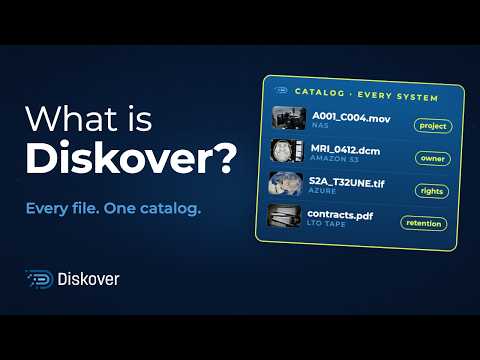
Diskover indexes file system metadata for every file and adds header details through metadata enrichment plugins, so each file is described by more than its name, size, and dates.


← Back to Unstructured Data Basics
Last updated: November 13, 2026.
See it on your own data.
We’ll index a sample of your environment and show you
what’s recoverable against your current storage spend.