


CUSTOMER SUCCESS STORY | MEDIA AND ENTERTAINMENT
Media giant turns tags into a self-cleaning storage estate.
How an in-house marketing division replaced manual searches and cleanup emails with tag-driven automation across 300 million files.
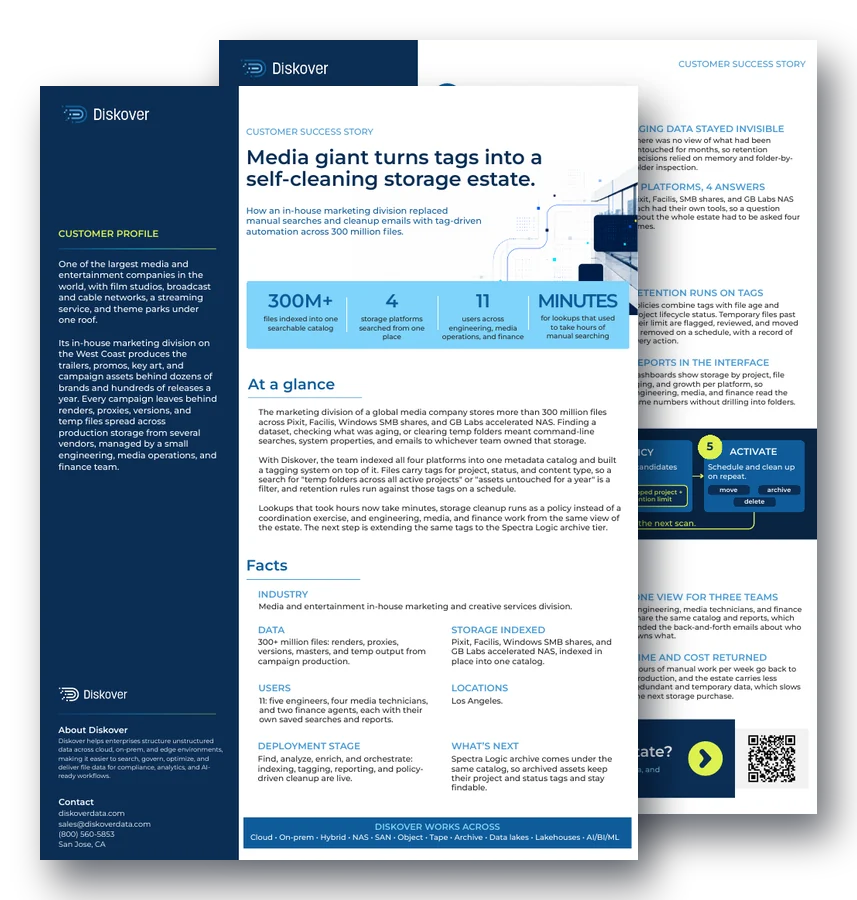
300M+
files indexed into one searchable catalog
4
storage platforms searched from one place
11
users across engineering, media operations, and finance
Minutes
for lookups that used to take hours of manual searching
At a glance.
The marketing division of a global media company stores more than 300 million files across Pixit, Facilis, Windows SMB shares, and GB Labs accelerated NAS. Finding a dataset, checking what was aging, or clearing temp folders meant command-line searches, system properties, and emails to whichever team owned that storage.
With Diskover, the team indexed all four platforms into one metadata catalog and built a tagging system on top of it. Files carry tags for project, status, and content type, so a search for “temp folders across all active projects” or “assets untouched for a year” is a filter, and retention rules run against those tags on a schedule.
Lookups that took hours now take minutes, storage cleanup runs as a policy instead of a coordination exercise, and engineering, media, and finance work from the same view of the estate. The next step is extending the same tags to the Spectra Logic archive tier.
Customer profile
One of the largest media and entertainment companies in the world, with film studios, broadcast and cable networks, a streaming service, and theme parks under one roof.
Its in-house marketing division on the West Coast produces the trailers, promos, key art, and campaign assets behind dozens of brands and hundreds of releases a year.
Every campaign leaves behind renders, proxies, versions, and temp files spread across production storage from several vendors, managed by a small engineering, media operations, and finance team.
Data
300+ million files: renders, proxies, versions, masters, and temp output from campaign production.
Storage indexed
Pixit, Facilis, Windows SMB shares, and GB Labs accelerated NAS, indexed in place into one catalog.
Users
11: five engineers, four media technicians, and two finance agents, each with their own saved searches and reports.
Locations
Los Angeles.
Challenges.
Command line searches.
Sizing a temp folder or locating a project’s files meant “du” on Linux or system properties on Mac and Windows, one folder at a time, across hundreds of millions of files.
Aging data stayed invisible.
There was no view of what had been untouched for months, so retention decisions relied on memory and folder-by-folder inspection.
Cleanup ran on email.
Clearing temporary data meant messaging each team that owned a storage system, waiting, and following up. Cleanup happened late or not at all.
4 platforms, 4 answers.
Pixit, Facilis, SMB shares, and GB Labs NAS each had their own tools, so a question about the whole estate had to be asked four times.
Solutions.
One catalog, four platforms.
Diskover indexes all four storage systems in place into one metadata catalog, so a search or report covers the entire estate at once, with the files staying where they are.
Tags replace searches.
Files carry tags for project, status, and content type, applied by rule on indexing or by users in the interface. “All temp folders in active projects” is now a saved filter that anyone on the team can run.
Retention runs on tags.
Policies combine tags with file age and project lifecycle status. Temporary files past their limit are flagged, reviewed, and moved or removed on a schedule, with a record of every action. See policy-based data management.
Reports in the interface.
Dashboards show storage by project, file aging, and growth per platform, so engineering, media, and finance read the same numbers without drilling into folders.
“Tagging has completely transformed how we manage our data. What used to take hours of manual searching and back-and-forth emails is now instant and effortless. It’s a game-changer for efficiency and collaboration.”
Chief Engineer, media giant
How it works.
1. Index
Metadata gets indexed on a regular schedule.
2. Tag
By rule on indexing, or by users in the interface.
3. Report
Across platforms: what is temp, what is aging, what belongs to a wrapped project, by storage tier and by team.
4. Policy
Select the candidates once: temp, wrapped project, past retention limit.
5. Activate
Schedule and clean up on repeat: move, archive, or delete.
Files stay in place until a policy moves them. The catalog updates on the next scan.
Outcomes.
Faster data access.
Files and folders are located instantly by tag or filter. Lookups that took hours of manual searching now take minutes.
One view for three teams.
Engineering, media technicians, and finance share the same catalog and reports, which ended the back-and-forth emails about who owns what.
Cleanup as a policy.
Temp data is identified and removed by rule instead of by coordination, so storage stays lean between campaigns without anyone chasing it.
Time and cost returned.
Hours of manual work per week go back to production, and the estate carries less redundant and temporary data, which slows the next storage purchase.
Questions people ask.
Why do marketing and creative teams struggle with storage?
Every campaign leaves behind renders, proxies, versions, and temp files, often across storage from several vendors. Without one view, finding a project’s files or clearing temp folders means manual searches and emails to whoever owns each system.
How do tags make storage cleanup automatic?
Files carry tags for project, status, and content type. Retention policies combine those tags with file age and project lifecycle status, so temporary files past their limit are flagged, reviewed, and moved or removed on a schedule.
Can one catalog cover storage from different vendors?
Yes. Here, Diskover indexed Pixit, Facilis, Windows SMB shares, and GB Labs accelerated NAS in place into one metadata catalog, so a search or report covers the entire estate at once.
How much time did tagging save this team?
Lookups that used to take hours of manual searching now take minutes, and hours of manual work per week went back to production.
What comes next for this media team?
Extending the same tags to the Spectra Logic archive tier, so archived assets keep their project and status tags and stay findable in the catalog.
Related resources.
See it on your own data.
We’ll index a sample of your environment and show you
what’s recoverable against your current storage spend.