

PLUGINS for MEDIA, ENTERTAINMENT, GAMES & SPORTS
From ingest to archive, connect Diskover to your production stack.
Diskover plugins read the metadata your production tools already write, such as Avid project files, Flow Production Tracking (formerly ShotGrid) shot status, MediaInfo and OpenEXR headers, and Xytech Media work orders.
That metadata joins the catalog, so every asset carries its project, its status, and its format, from ingest to the tape archive. Review and transcoding run from the same view, through CineViewer, Telestream GLIM, and Telestream Vantage.
DOWNLOAD THE SOLUTION BRIEFS
Metadata enrichment for control and performance.
Workflow automation tools for optimized efficiency.




METADATA ENRICHMENT
Avid.
Know which project every clip belongs to, and which tape it came from, without opening Avid.
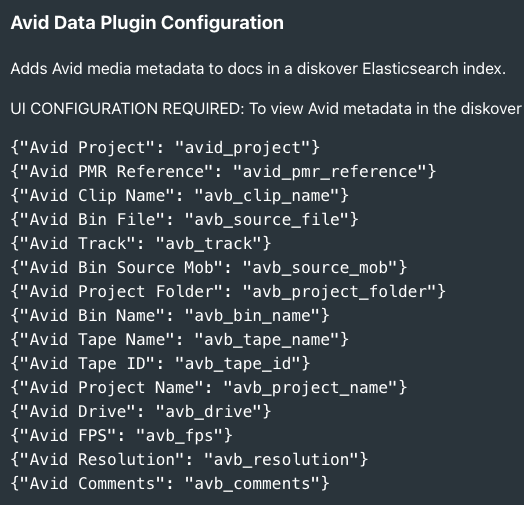
The Avid Metadata plugin reads Avid PMR and AVB files and writes what it finds onto the matching MXF and AAF documents in your index. Up to 15 searchable fields, including project, bin, clip name, tape name and ID, track, drive, frame rate, and resolution.
If an MXF or AAF file has no matching Avid record, its Avid fields stay empty.
METADATA ENRICHMENT
Media Info.
Find every clip by codec, resolution, or frame rate.
The Media Info plugin reads the technical metadata inside video and audio files, such as codec, resolution, frame rate, bitrate, and audio channels, and adds it to the catalog. Find all 4K ProRes files, or the videos that need transcoding, and use the same fields in reports and saved searches.
If a source file has no media attributes, its Media Info fields stay empty.
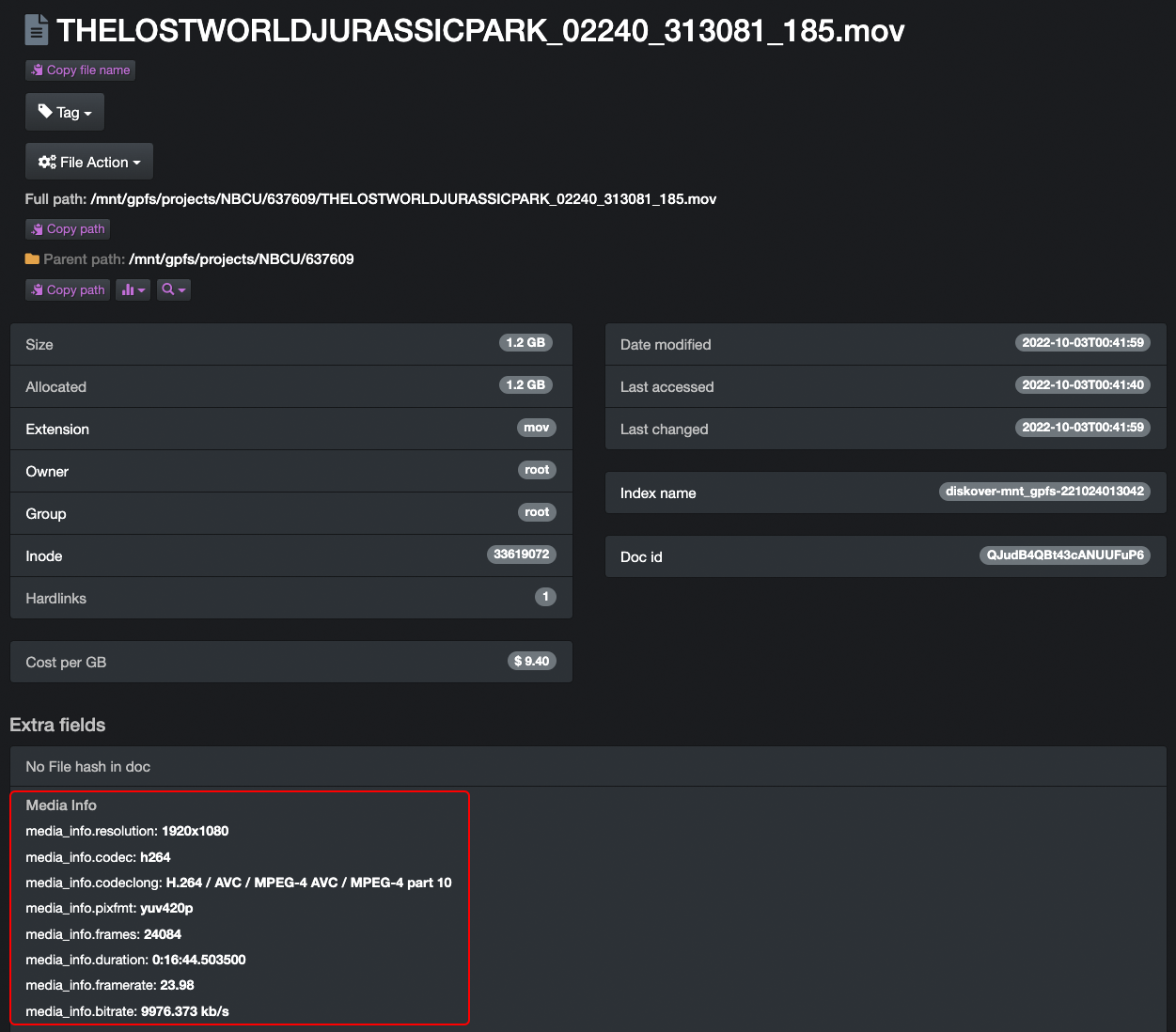
File attributes with detailed media info.
METADATA ENRICHMENT
Image Info.
Search image libraries by camera, date, and location.
The Image Info plugin adds image metadata to the catalog, such as width and height, format, and EXIF data like camera model, GPS coordinates, and capture date. Search large image libraries by size, camera, shooting location, or capture date, and use the same fields to filter and automate.
For creative production, digital asset management, or quality control, the plugin reads metadata only and never changes the original files.
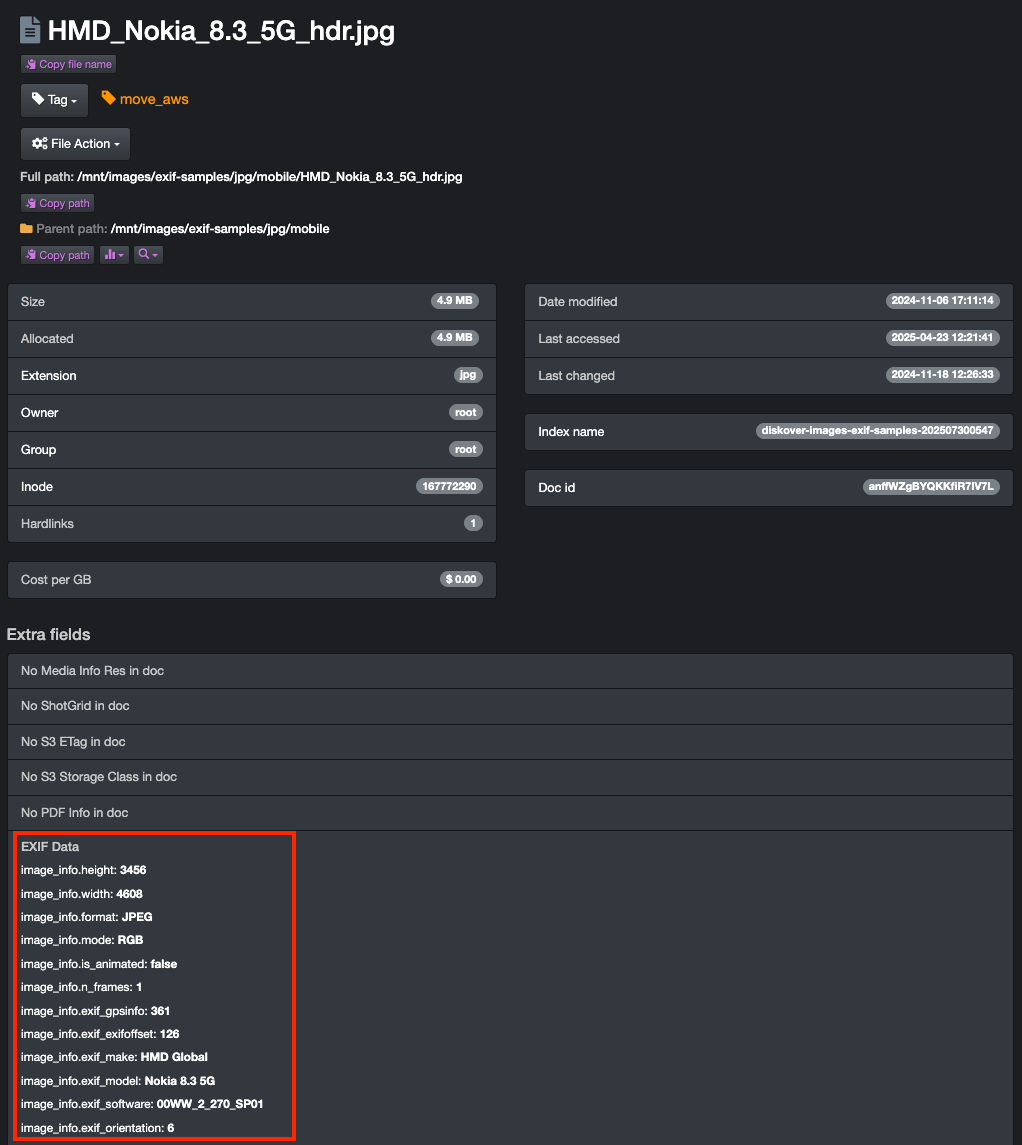
File attributes with detailed EXIF info.
METADATA ENRICHMENT
OpenEXR Info.
Search render outputs by channels, compression, and more.
The OpenEXR Info plugin reads the header of each OpenEXR file and adds render attributes to the catalog, such as channel configuration, compression type, data and display windows, pixel aspect ratio, and line order.
VFX and post-production teams find and manage render outputs by these fields without browsing production storage, and the same fields can drive reports and cleanup policies.
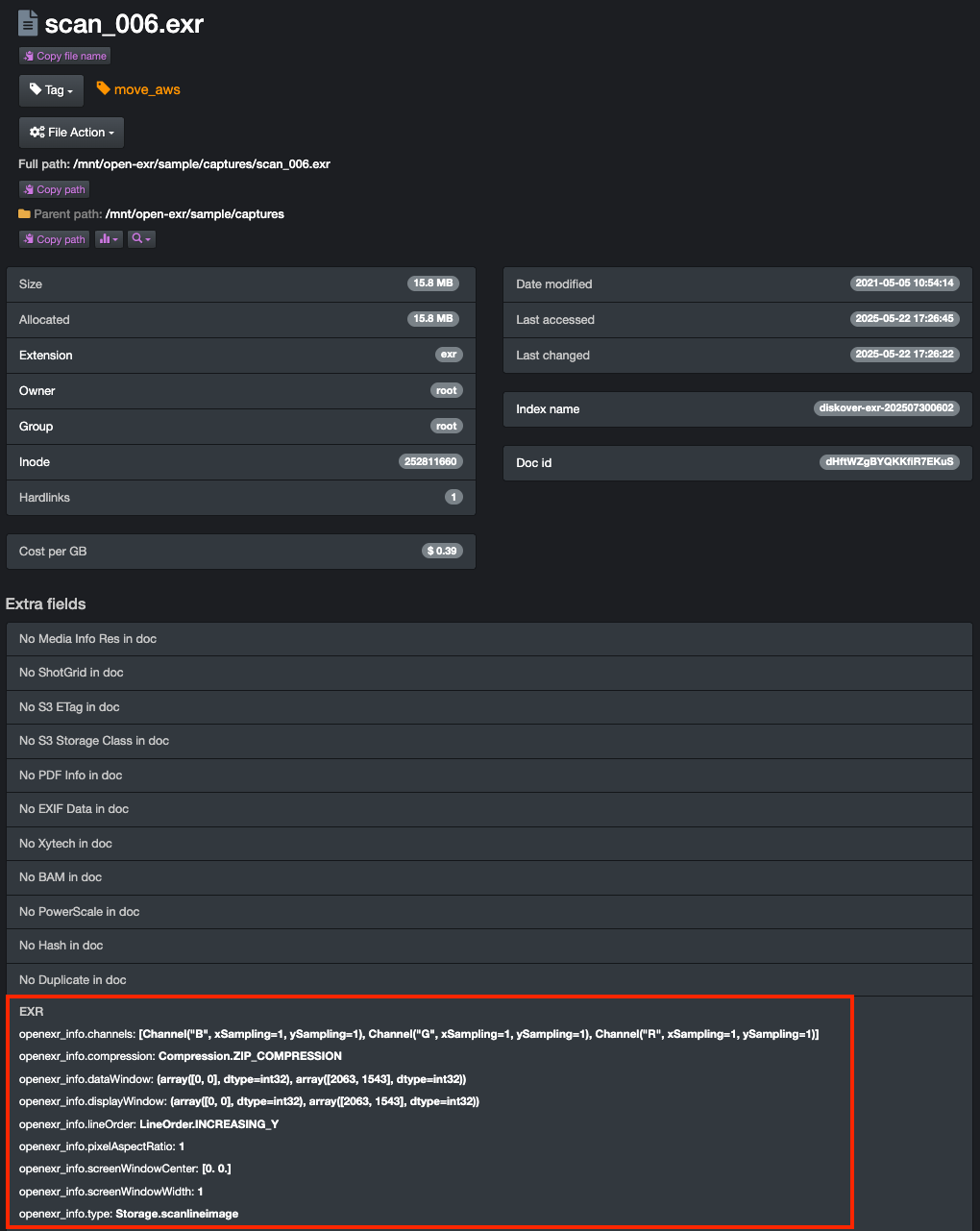
File attributes with detailed OpenEXR info.
WORKFLOW
CineViewer Player.
by
Give visibility without granting access.
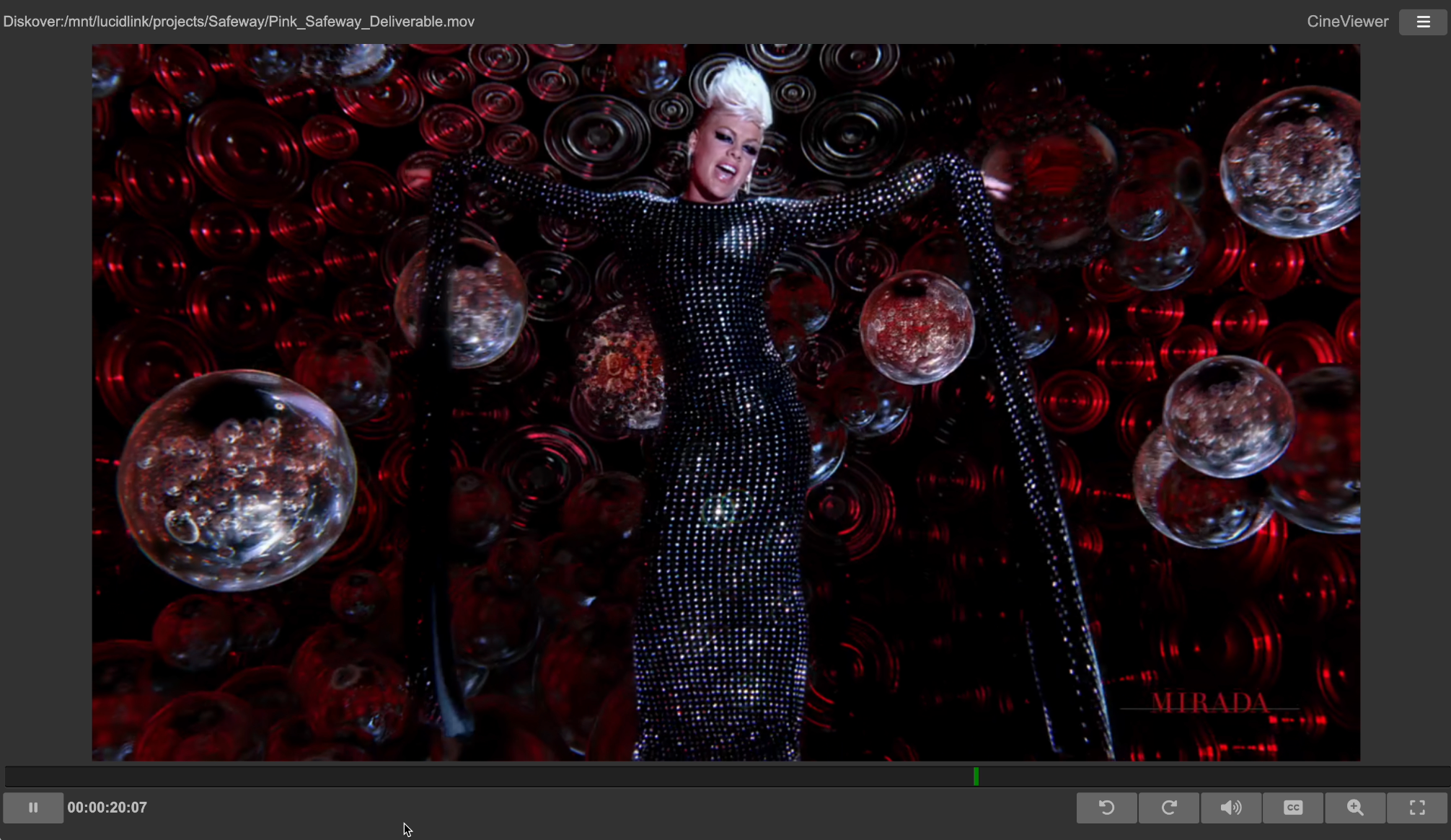
The CineViewer Player is designed to securely view high-resolution media from a remote browser without giving users access to the source files.
From the Diskover interface, CineViewer lets teams review and validate media in a browser, without downloads or proxies, while the production network stays protected.
CineSys LLC developed the CineViewer Player. CineSys is a technology and channel partner of Diskover Data.
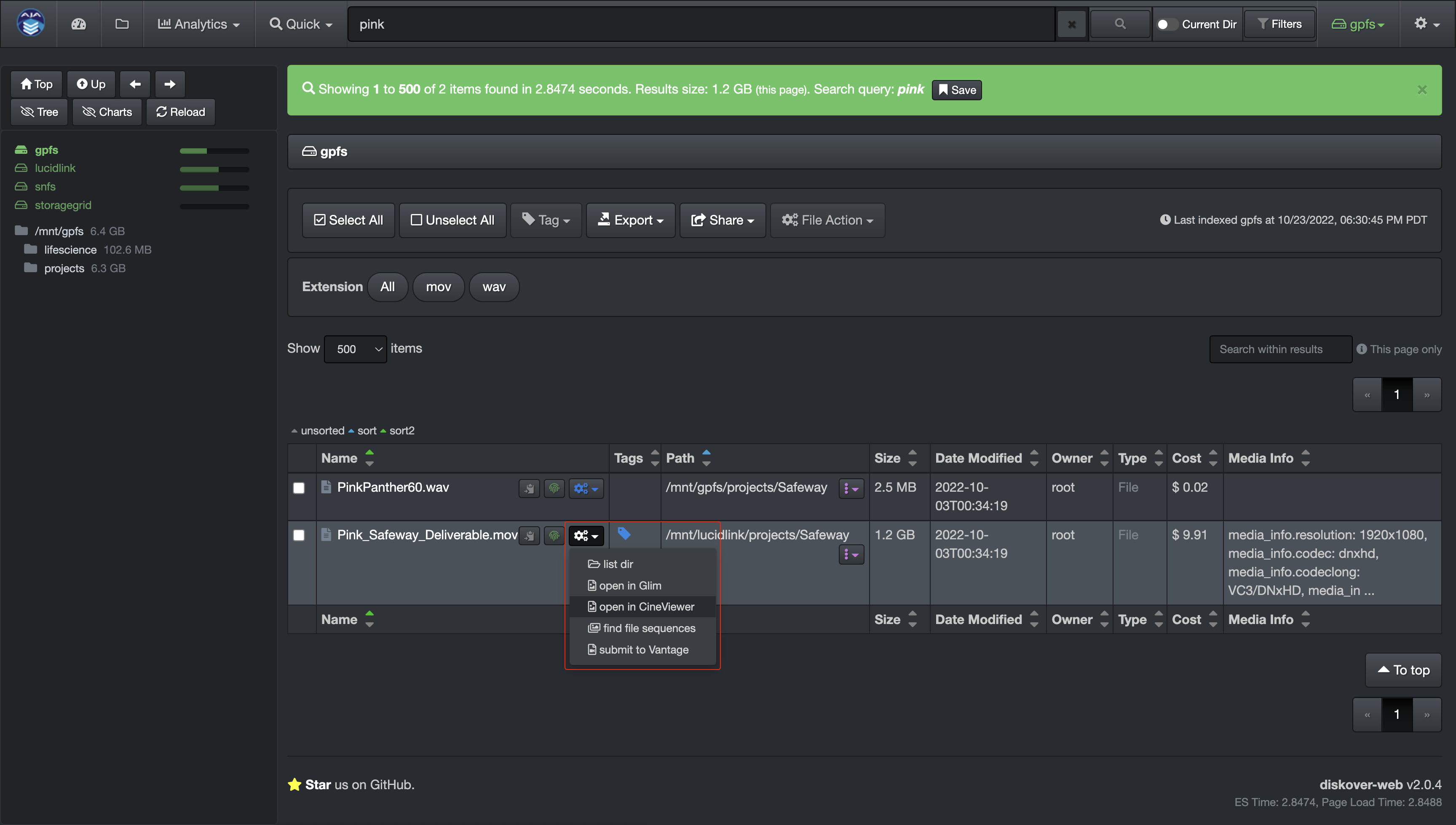
Single-click launch from the Diskover interface.
CineViewer Player user interface.
METADATA ENRICHMENT
ShotGrid/Flow Production Tracking.
Formerly known as ShotGrid, a product by

A wealth of production status metadata.
The Flow Production Tracking plugin (formerly ShotGrid) harvests over 100 attributes from Autodesk Flow Production Tracking for every shot directory on storage, such as project, sequence, shot, version, and status. Status values, such as final or out-of-picture, become fields you can search, report on, and use in workflows and File Actions.
These fields support precise data management decisions and granular reporting. A typical workflow: archive every shot directory 30 days after its status changes to final.
For each shot directory, the Flow Production Tracking attributes become properties of that directory, so you can search, report on, and act on them in Diskover.
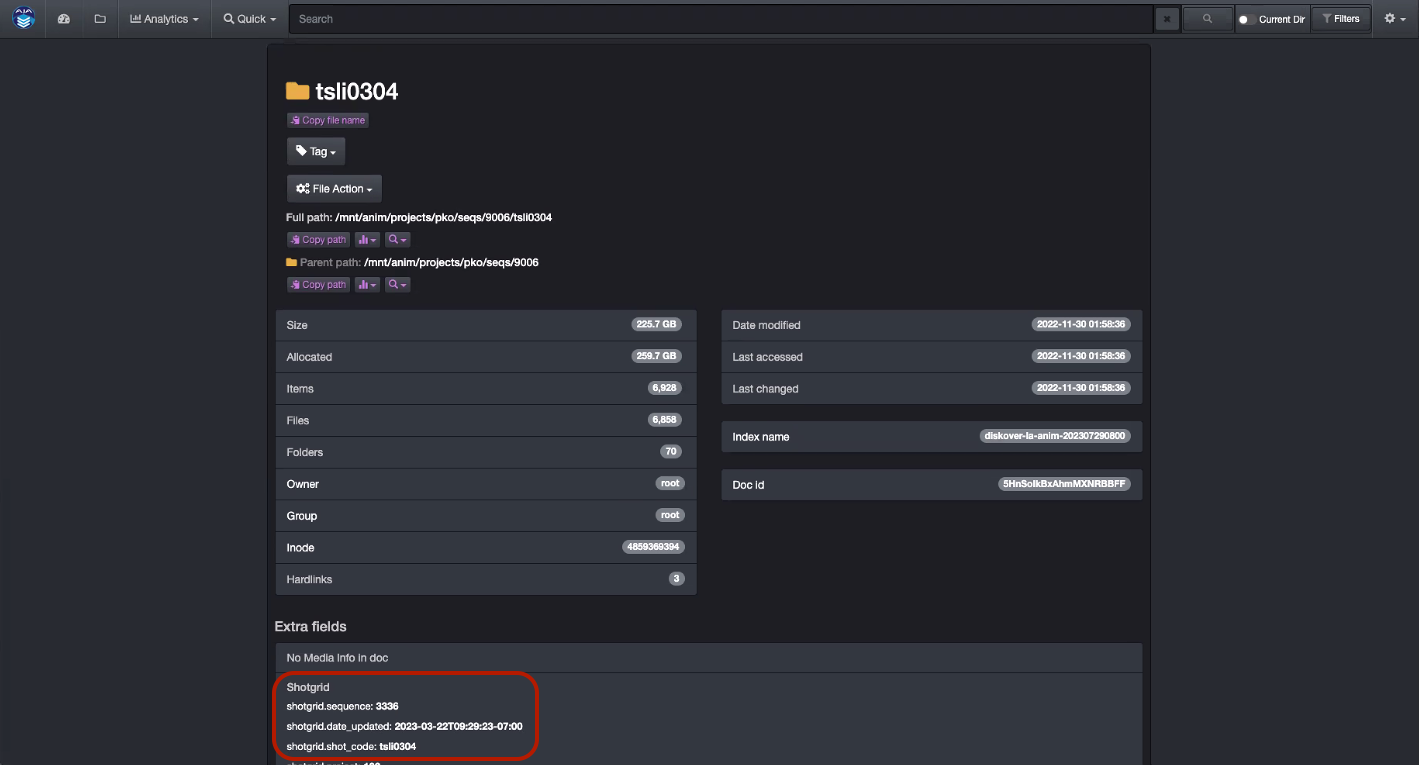
Flow Production Tracking offers over 100 indexable fields. You can index all of them, or only the ones your workflows need.
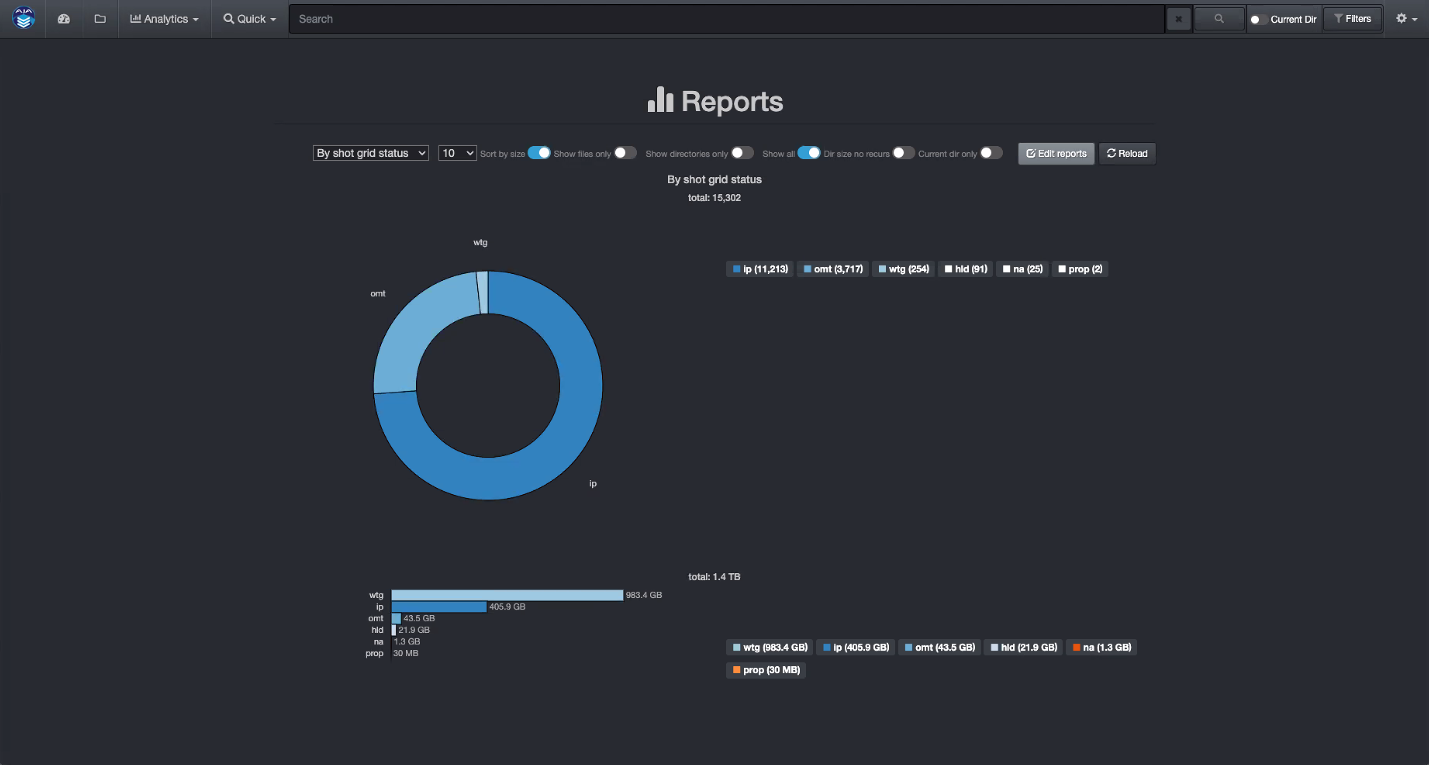
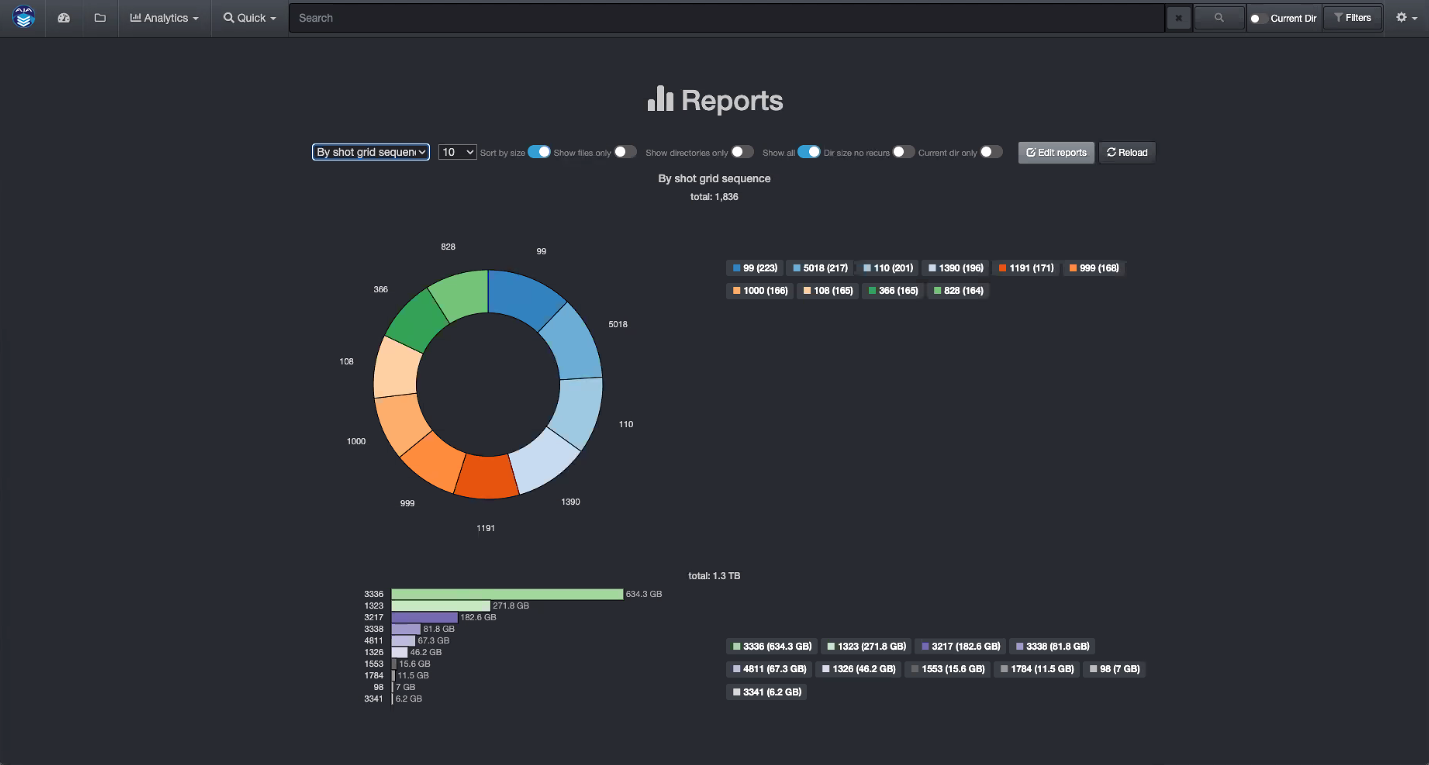
Sample of analytics using Autodesk Flow Production Tracking media-centric attributes.
By status code.
By sequence.
By creator.
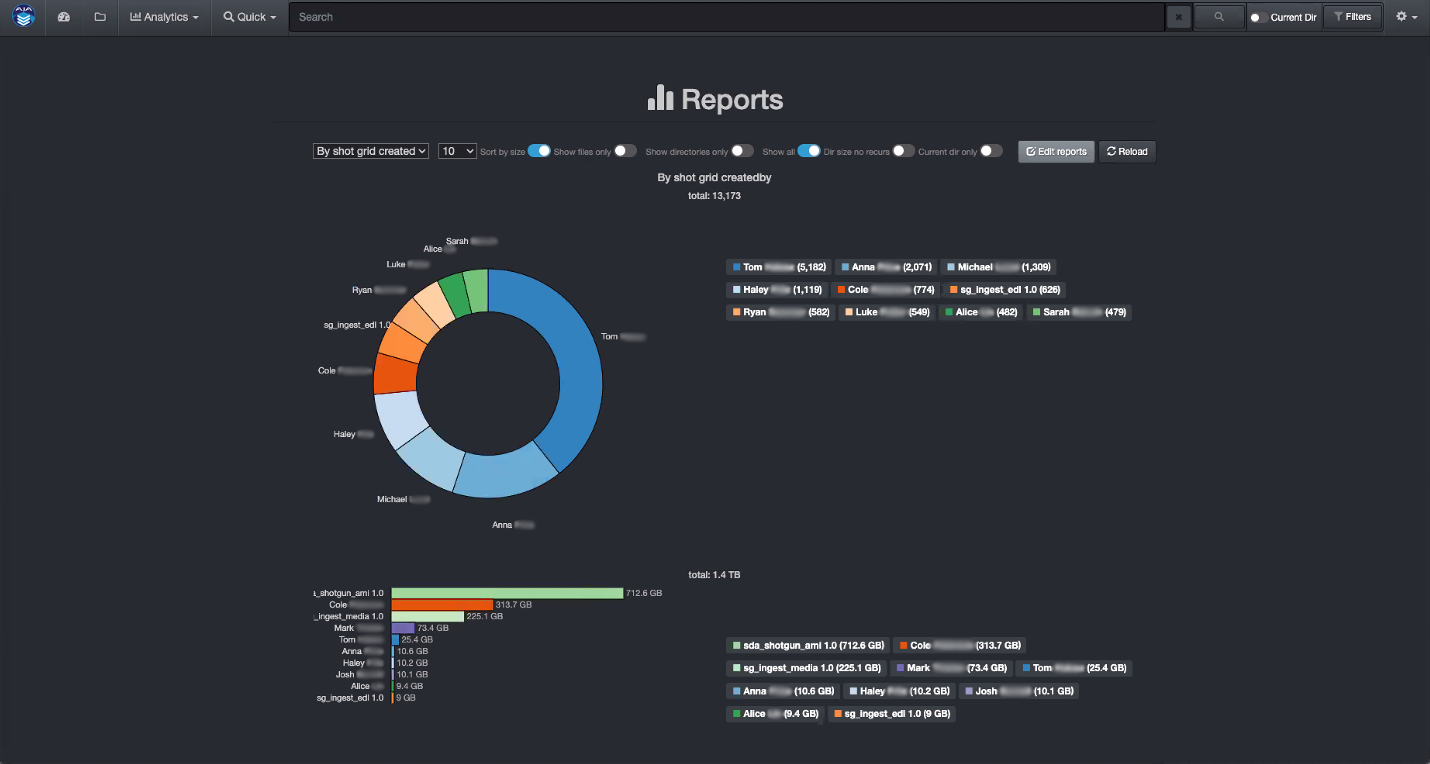
This sample shows Diskover’s customizable analytics built on production attributes from Flow Production Tracking. Teams build their own queries and views from these fields.
Policy-driven decisions can streamline storage optimization across workflows, such as moving inactive data to lower-cost tiers, keeping assets for long-term retention, or deleting content after delivery. Diskover’s integrated workflows run these steps by policy, with an audit trail.
METADATA ENRICHMENT
Xytech Asset Creation.
Gain visibility and searchability of all your archived media, on tape or removable hard drives.
Post facilities often hold years of customer assets on LTO tape or removable drives, kept in a physical vault. These assets are hard to find, so they are rarely reused or repurposed.
Cloud and object storage now make it affordable to bring vaulted assets back online. But restoring them to online storage does not make them findable in context or visible in the facility’s order management system.
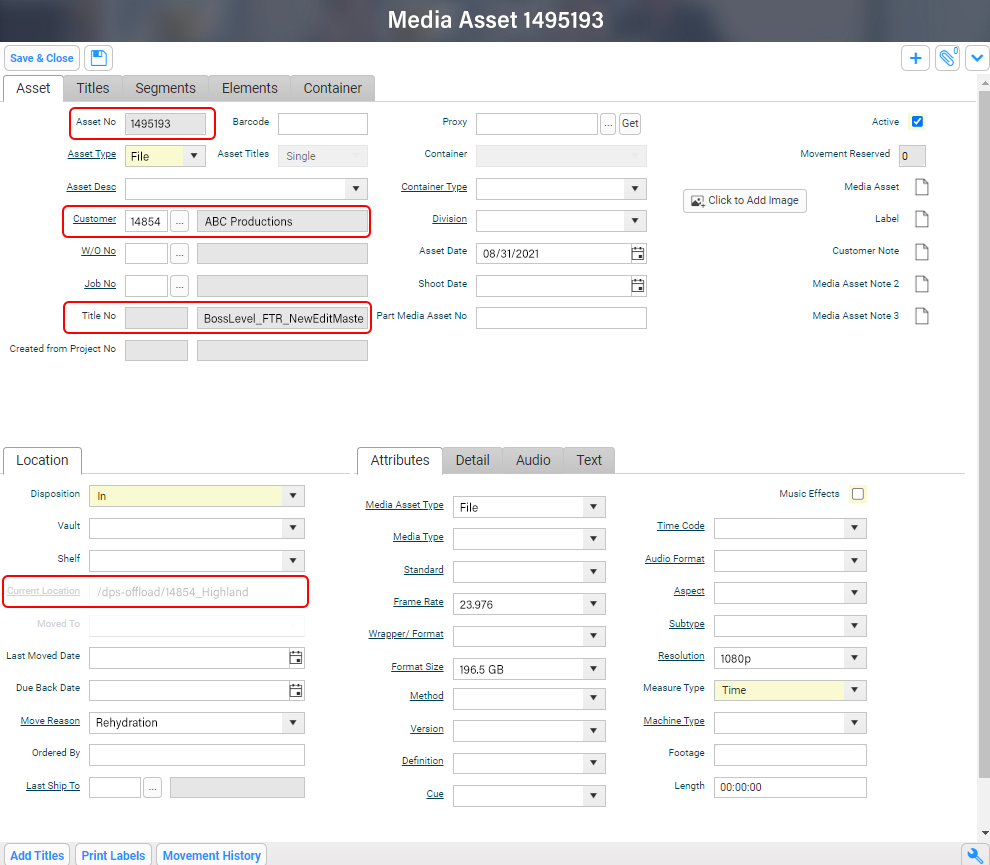
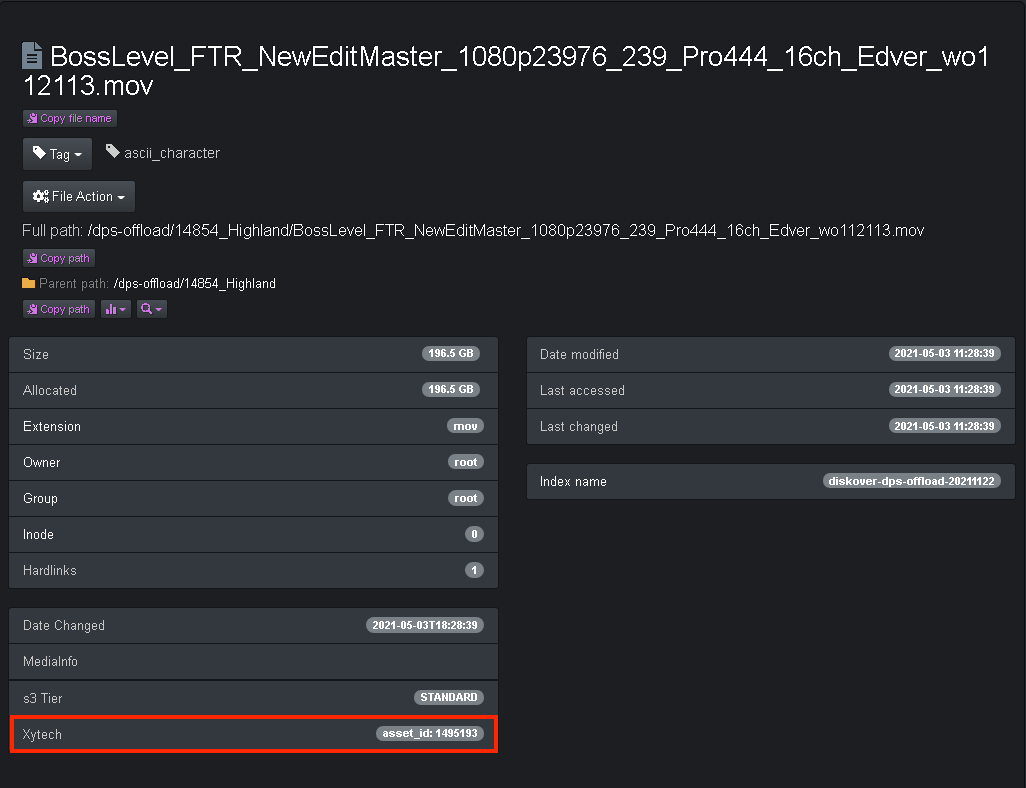
The Xytech Asset Creation plugin finds newly restored assets, such as media from LTO tapes or removable drives, and makes them findable and searchable in Xytech Media and Diskover.
Restored assets go into a folder that follows a set naming convention. The plugin creates the asset in Xytech Media and adds the asset number to the file as its own field in the Diskover index.
Media asset in Xytech.
Media asset attribute in Diskover.
METADATA ENRICHMENT
Xytech Order Status.
Production status insights for accurate asset correlation.
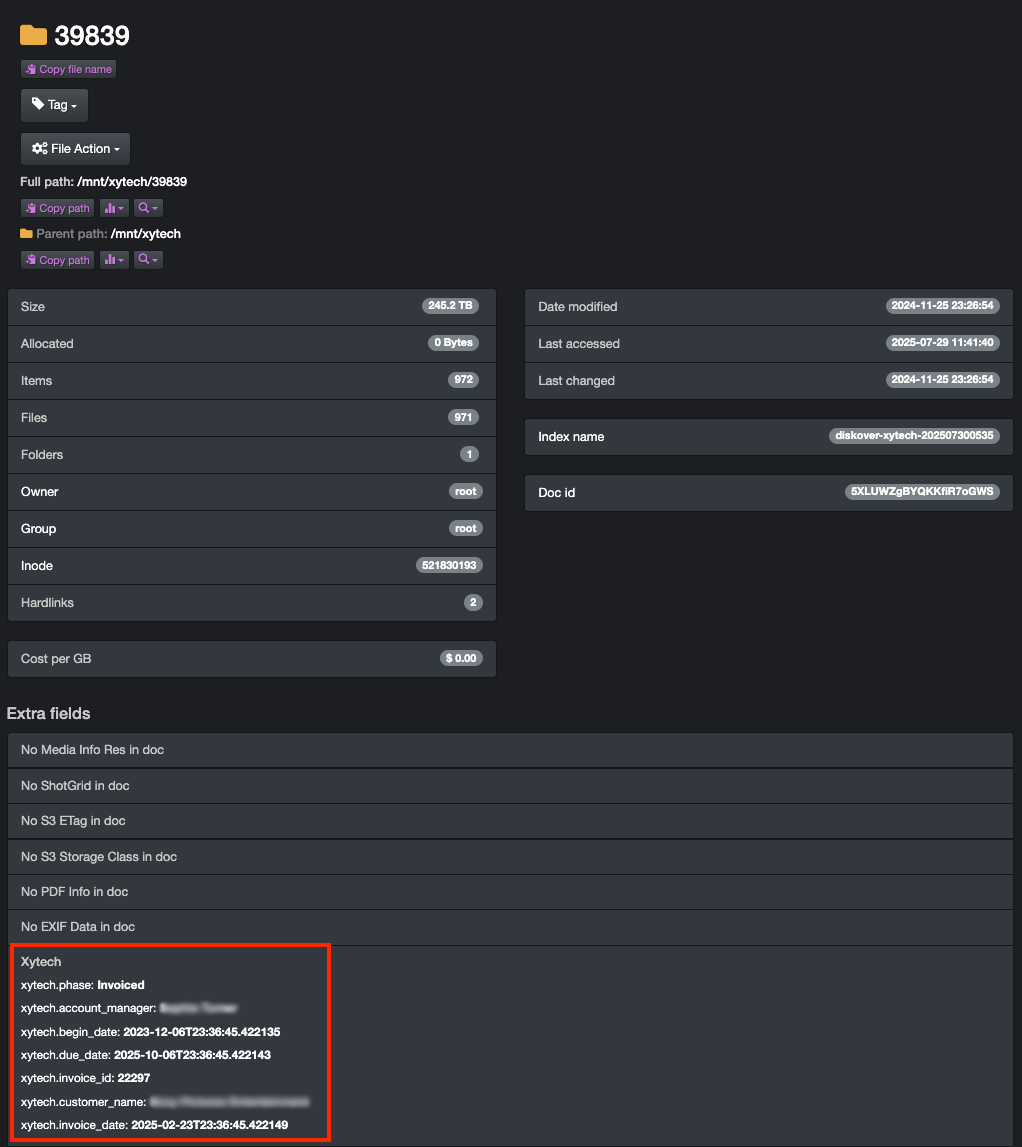
The Xytech Media order status plugin links your order management system to your storage. It reads work order details from Xytech Media, such as phase status, customer, due date, and invoice data, and adds them to the matching directories in Diskover’s metadata catalog. Teams use this business context to automate workflows, curate data, monitor costs, build custom reports, and search with precision.
Many facilities match work orders to storage folders manually. That work is error-prone and does not scale as order volume and data turnover grow.
Without that link, data management decisions rely only on file attributes, such as size and age. Context from the order system makes those decisions more precise.
The invoice date is a good example. A change in work order status can signal what to do with the data: once a Xytech Media work order is marked “invoiced,” the data linked to that order can be a candidate for archive.
Xytech production order attributes in Diskover.
Sample of analytics using Xytech Order Status media-centric attributes.
By order status.

This sample shows Diskover’s customizable analytics built on order status attributes from Xytech Media. Teams build their own queries and views from these fields.
By account manager.

Policy-driven decisions can streamline storage optimization across workflows, such as moving inactive data to lower-cost tiers, keeping assets for long-term retention, or deleting content after delivery. Diskover’s integrated workflows run these steps by policy, with an audit trail.
WORKFLOW
Telestream GLIM.
Visibility without access.
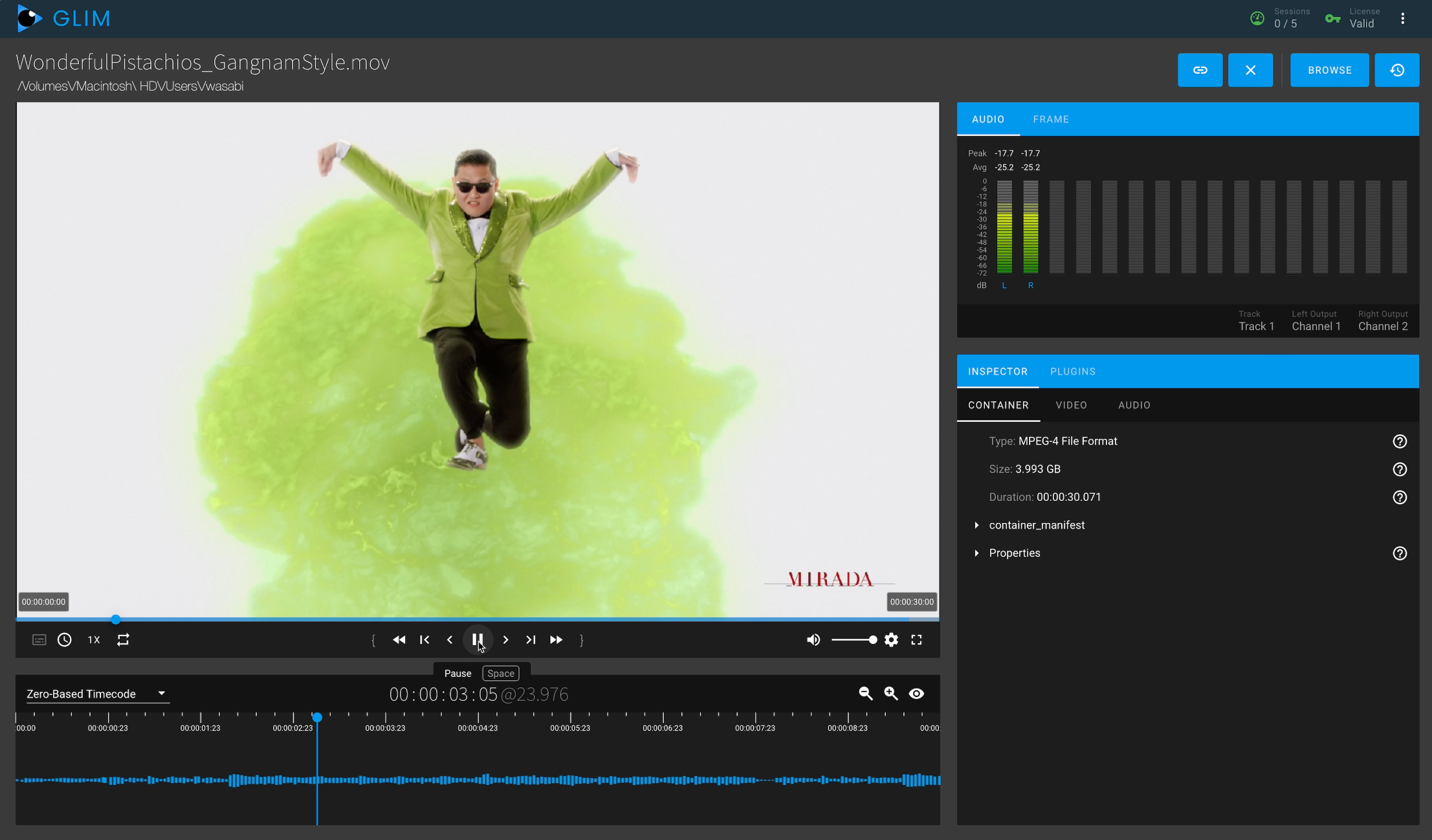
The GLIM plugin connects Diskover to Telestream GLIM, so teams can view and validate media while source files and the production network stay protected. Search for media in Diskover, then open it in GLIM in one click from the File Actions menu. Users need a GLIM account and must be signed in to GLIM.
Single-click launch from Diskover.

GLIM user interface.
WORKFLOW
Telestream Vantage.
Find. Submit. Done.
The Telestream Vantage plugin lets users submit files to Vantage workflows, such as transcoding and proxy creation, directly from the Diskover interface, with fewer manual steps between systems.
- Simplified workflow: Submit files for transcoding without switching between applications.
- Focused options: Only relevant Vantage presets are exposed, minimizing confusion for non-technical users.
- Faster onboarding: End users reach Vantage through Diskover, without a separate account setup or access to the production network.
- Enhanced security: Users only interact with read-only metadata, keeping your production environment isolated and protected.
- Global visibility: Diskover’s index makes files easy to find across projects and storage.
- Minimal learning curve: The intuitive integration makes job submission fast and accessible for all users.
Transcoding job selection example.

Transcoding job status within Vantage.

USE CASE
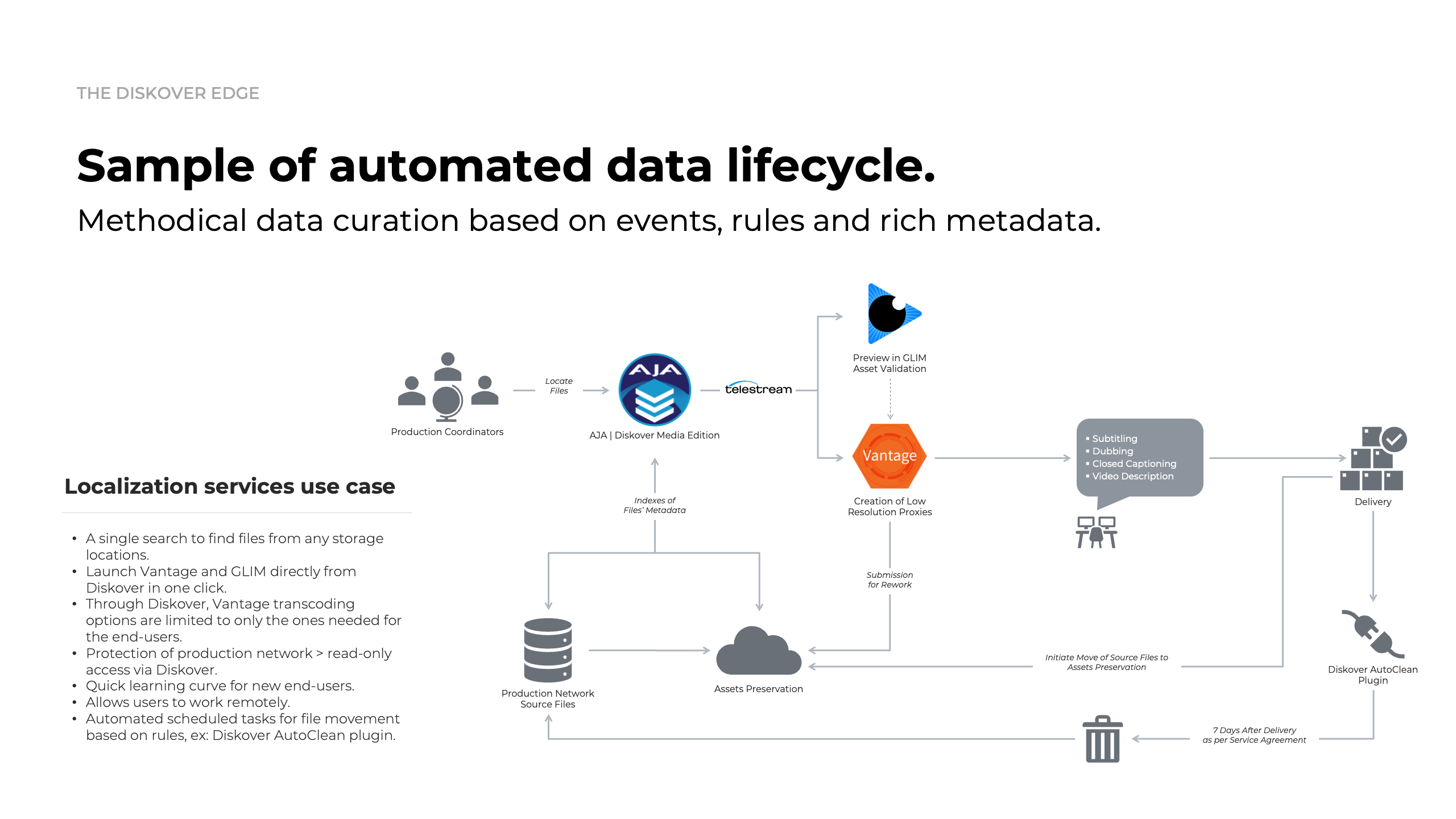
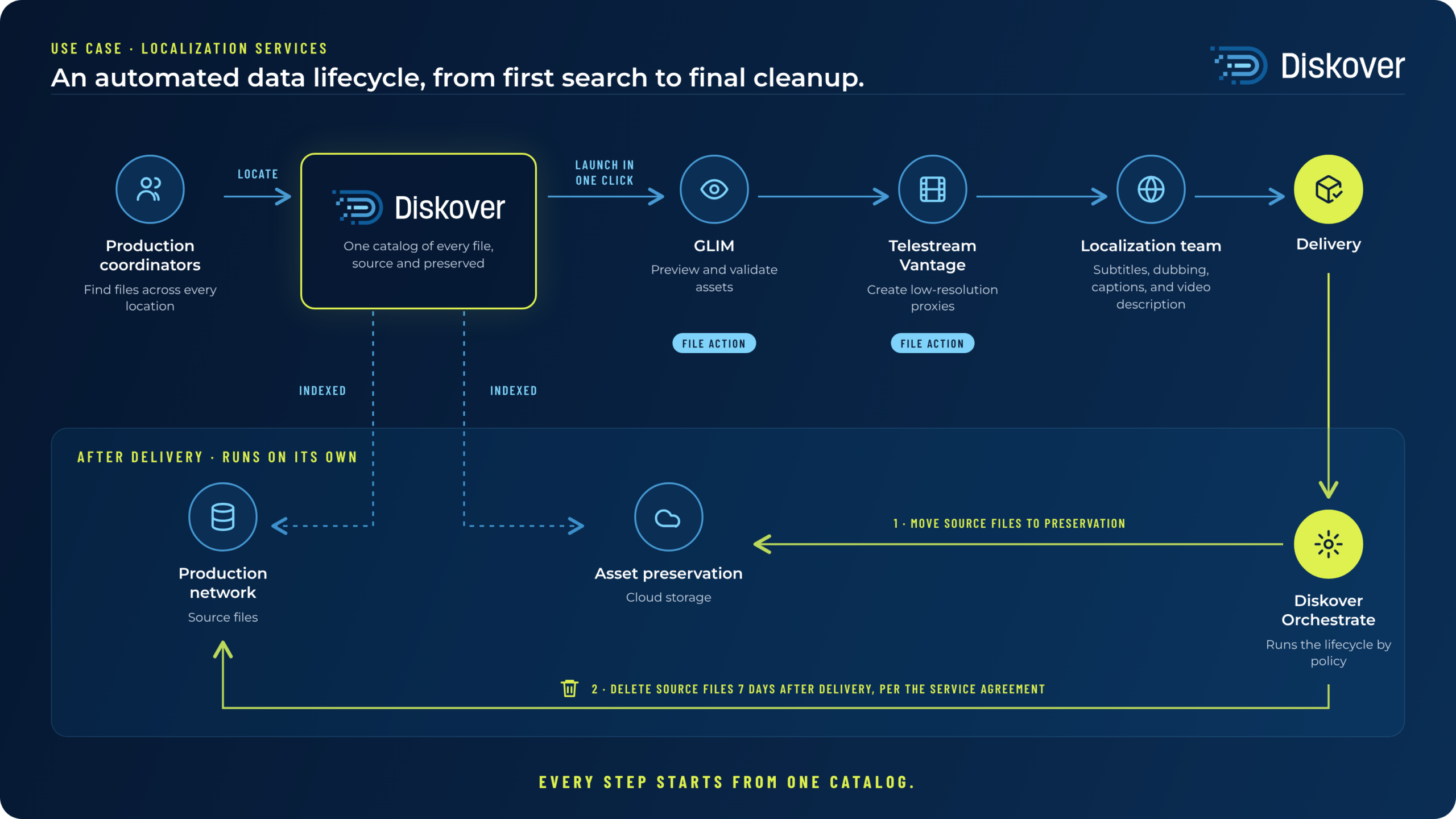
Vantage and GLIM workflow integration at Visual Data for localization services.
The objective of this workflow is to enable Media Services personnel to create deliverable, transcoded files while reducing complexity, security exposures, and human error.
Source content often sits on production storage that is air-gapped from the internet and from internal IT networks. These file-based workflows run like a factory floor, with assets moving through each stage of production. By integrating Diskover with Telestream, Media Services teams create low-resolution proxies without direct access to production systems or content.
Diskover’s global index gives fast, read-only search across large production datasets, so users find source materials, typically .mov or .mxf files, without elevated permissions. They then launch Telestream GLIM from the Diskover interface to preview and validate assets, without switching tools or copying file paths.
After validation, users start Vantage workflows in Diskover to create low-resolution proxies for localization or review. Proxies are saved to set locations, and the high-resolution sources move to S3. Because proxies can be recreated, Diskover cleans up completed outputs after a set retention period. If a proxy is needed again, users find the source in Diskover and run the same workflow.
Diskover can work with other applications if they have an SDK available. In the case of Telestream’s Vantage transcoding workflow platform, we have found that a combination of Diskover search tools and Vantage makes a really good team.
To eliminate the need to give users access to production content, and the ability to search through thousands of files, the Diskover team built a Vantage submit tool that directly allows to search a file, select that specific file or multiple files, and submit them to the Vantage workflow of your choice.
It’s extremely versatile and communicates very quickly. This procedure is only in its first phase, so expanding it to allow workflow status submission and more advanced workflows like audio overlay and subtitle overlays is on the roadmap.
Randall Derchan // IT Manager

WORKFLOW
Find File Sequences.
Find every frame, and every missing one.
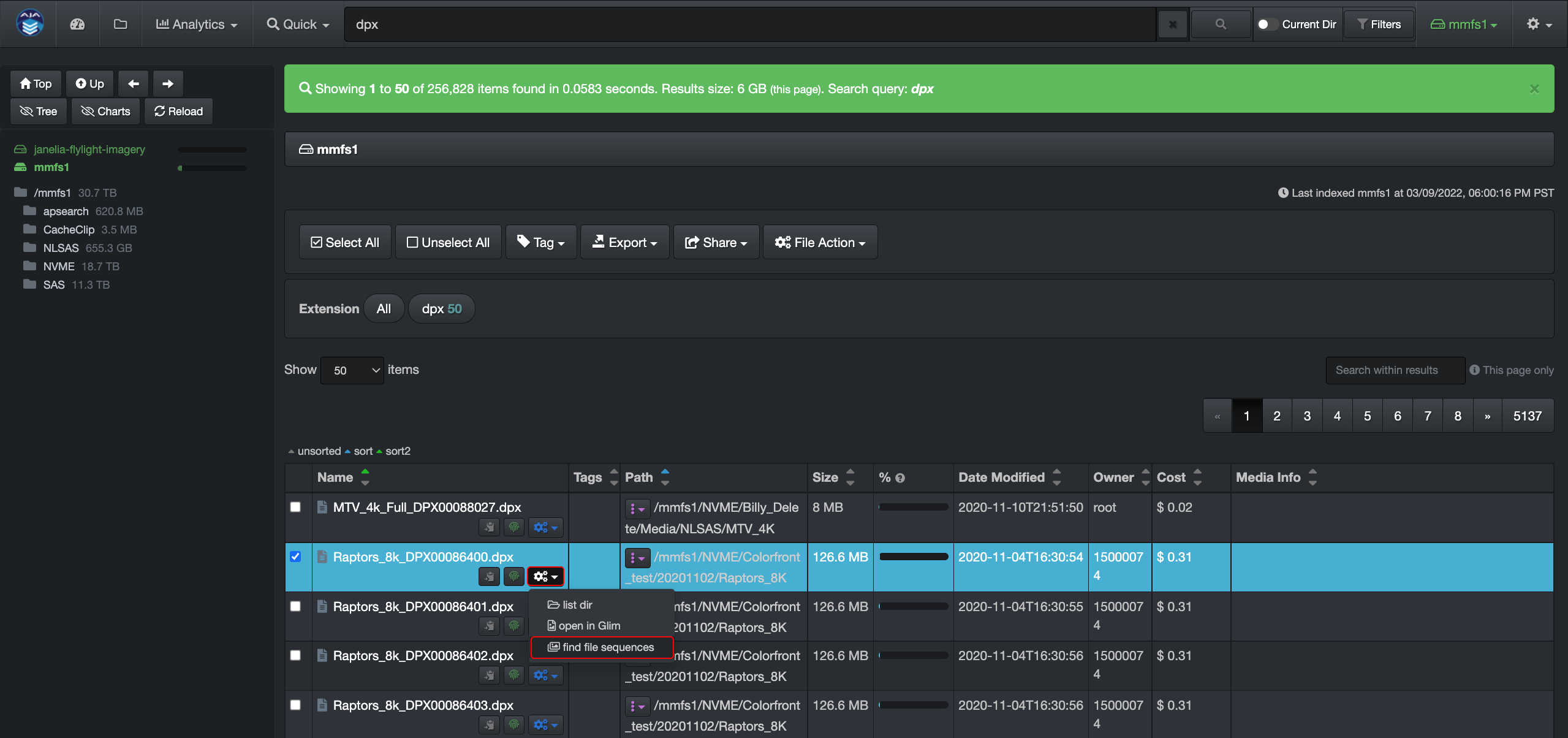
The File Sequence action groups numbered files, such as DPX or EXR frames, into sequences in one click from the File Action menu. It also flags gaps in the numbering and zero-byte or undersized frames, so teams catch missing or broken frames before review, transfer, or processing.
Launch in one click via File Action.
Comprehensive report.

See it on your own data.
We’ll index a sample of your environment and show you
what’s recoverable against your current storage spend.